Secrets
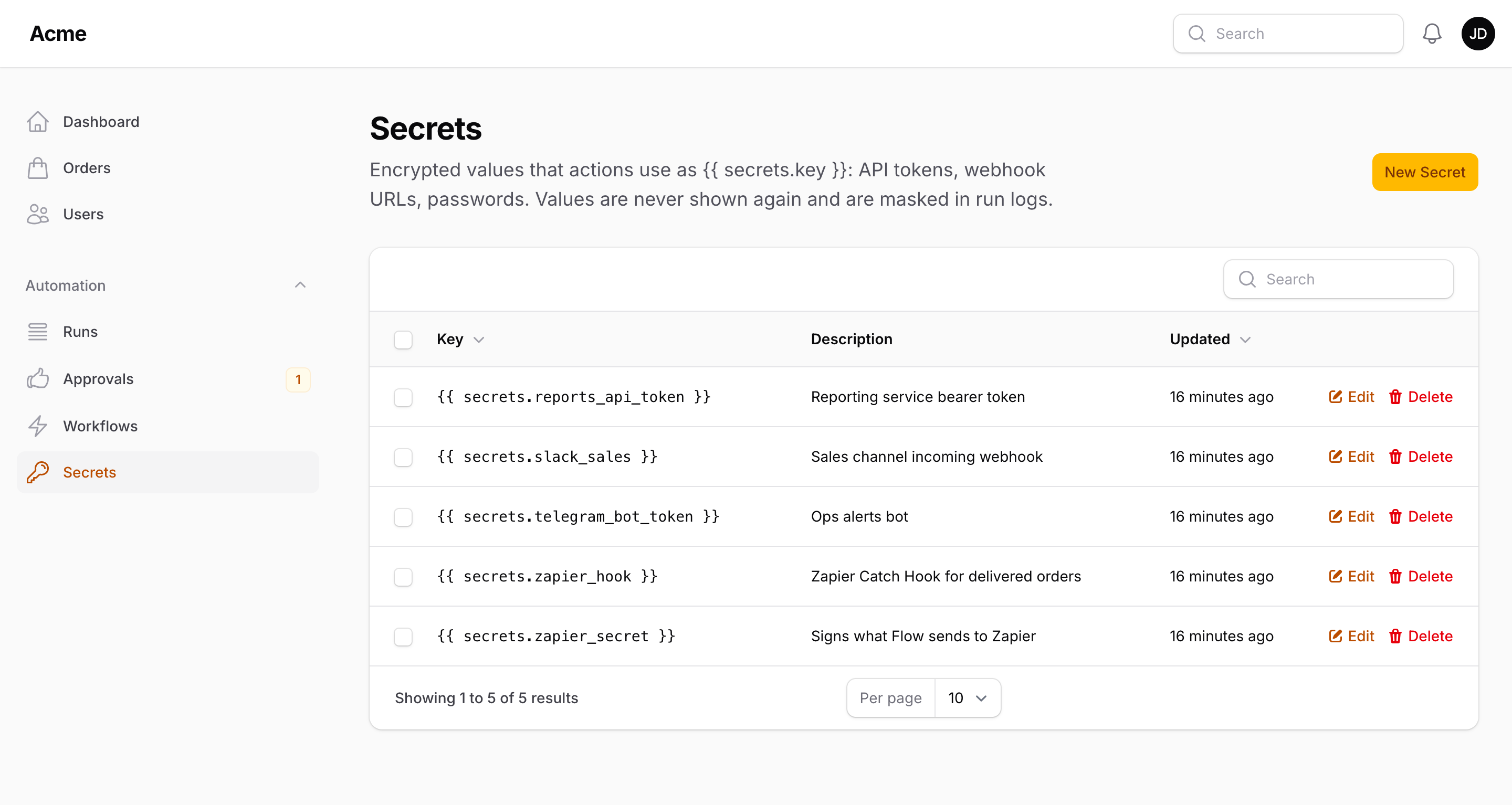
Slack webhook URLs, API tokens, bot tokens and passwords do not belong in a node's settings, where every panel user who can open a workflow would read them. The Secrets page (next to Workflows in the navigation) stores them encrypted; actions reference them as {{ secrets.<key> }}.
Storing a secret
| Field | |
|---|---|
| Key | Letters, digits and underscores, e.g. slack_webhook, telegram_bot_token. Unique |
| Value | Encrypted with the application key (APP_KEY) before it is stored; never shown again in the panel. Leave it empty when editing to keep the current value |
| Description | Optional, for your colleagues |
The table lists the placeholder to copy ({{ secrets.slack_webhook }}), never the value. Rotating a key means rotating the secret in one place: every workflow that references it picks up the new value on its next run.
Using a secret
Any text field of an action accepts the placeholder:
Webhook URL:  {{ secrets.slack_webhook }}
Header:       Authorization = Bearer {{ secrets.crm_api_key }}
Bot token:    {{ secrets.telegram_bot_token }}
Secrets resolve only while an action runs. In a condition, a trigger setting or anywhere else {{ secrets.x }} renders as an empty string, so a workflow cannot be used to read a secret by comparing it. Filters work as usual ({{ secrets.token | trim }}).
Masking in run logs
The runner remembers every secret value it resolved during a run and replaces it with •••••• in what it stores on the run: step messages, action outputs (an HTTP response that echoes a token, for example) and the run's error message. Masking matches the exact value (case-insensitively); a value that an action transformed before it reached the log — encoded, hashed, split — is not recognised.
In code
use Packstub\Flow\Models\Secret;
use Packstub\Flow\Support\Secrets;

Secret::query()->create(['key' => 'slack_webhook', 'value' => 'https://hooks.slack.com/...']);

Secrets::get('slack_webhook');   // the decrypted value, cached per process
Secrets::keys();
Custom actions get secrets through the same placeholders — $this->interpolate('{{ secrets.api_key }}', $payload) inside handle() — or directly with Secrets::get(). To read one outside an action (in a trigger, a command), wrap the call in Placeholders::allowSecrets(fn () => ...).
Configuration
| Key | Default | |
|---|---|---|
tables.secrets |
flow_secrets |
Table name |
models.secret |
Packstub\Flow\Models\Secret |
Swap for a subclass (the value cast must stay encrypted) |
FlowPlugin::make()->withoutSecrets() hides the page; ->secretResource(App\Filament\Resources\SecretResource::class) replaces it with a subclass. The page follows the same authorization as Workflows.
Next: Runs.