Actions
An action does the work of a workflow. Its settings are a Filament form in the node's slide-over; every text field accepts placeholders, which are filled in from the run's payload when the action runs. An action that throws marks the run as Failed with the exception message and stops that branch — unless its Error handling section says to retry, continue, or follow an Error branch (see Runs).
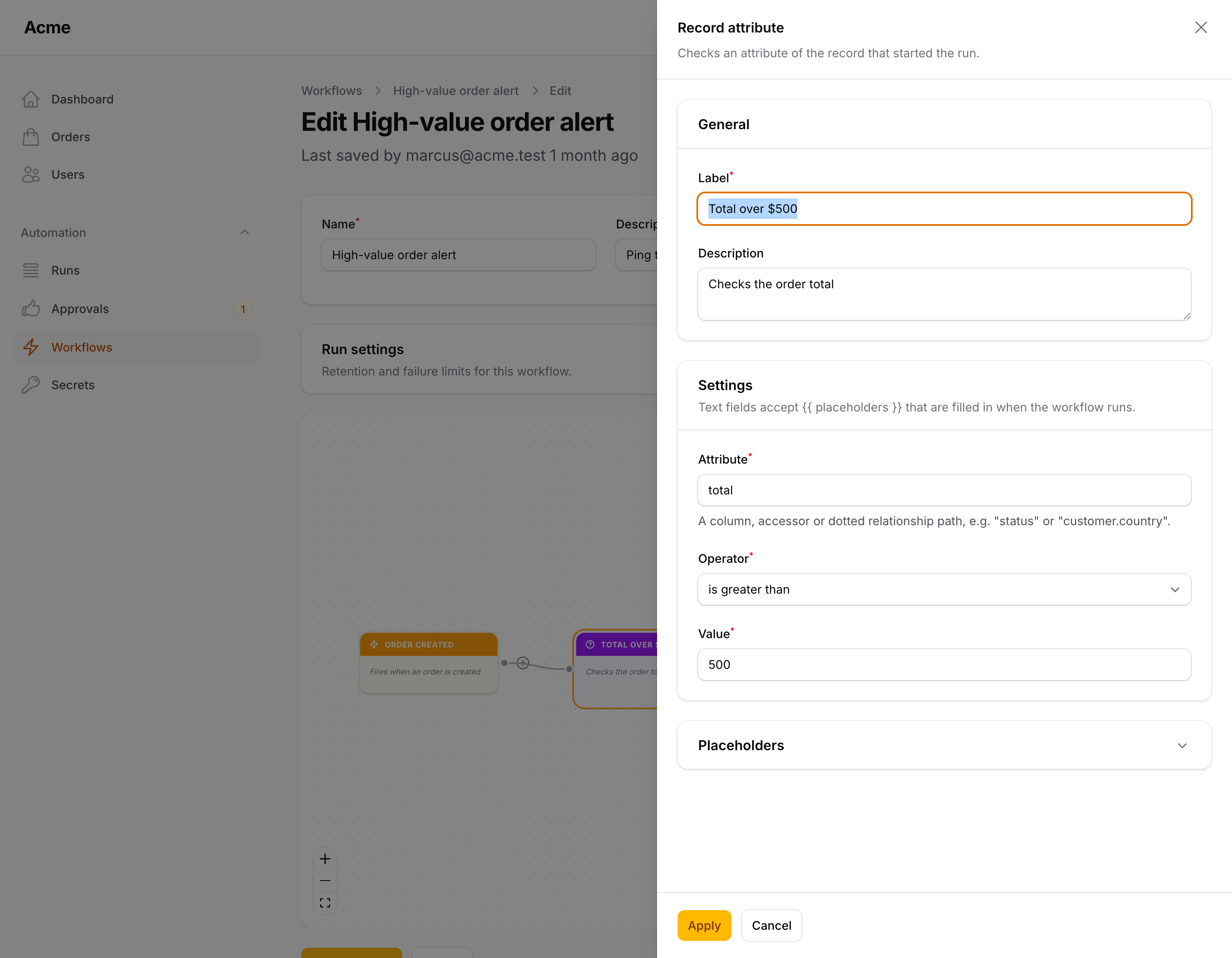
Send email
Sends a plain Markdown email through your default mailer, using the Packstub\Flow\Mail\WorkflowMail mailable.
| Setting | |
|---|---|
| To | One or more addresses separated by commas; placeholders allowed. Defaults to {{ model.email }} |
| Subject | Placeholders allowed |
| Message | Plain text; line breaks are kept. Placeholders allowed |
| Button label / Button URL | Optional: a button under the message. {{ model.url }} is the record's page in the panel (see Placeholders). The button appears only when both are filled in |
When the recipient list is empty after placeholders are filled in (for example {{ model.email }} on a run without a record), the action does nothing and the run continues. The mail is sent immediately from the run; put the workflow on the queue to keep it out of the request (see Queue & scheduling).
Send notification
Sends a Filament database notification — the bell in the topbar — to panel users.
| Setting | |
|---|---|
| Title | Placeholders allowed |
| Body | Optional; placeholders allowed |
| Style | Info (default), Success, Warning or Danger |
| Recipients | Email addresses separated by commas; placeholders allowed, e.g. admin@example.com, {{ model.owner.email }} |
| Button label / Button URL | Optional: an action button on the notification, marked as read when clicked. The URL defaults to {{ model.url }}, the record's page in the panel; the button appears only when both resolve to something |
Recipients are looked up by email on the model configured in auth.providers.users.model; addresses that match no user are skipped, and nothing is sent when none match. Your panel needs ->databaseNotifications() and the notifications table for users to see them.
Send Slack message
Posts a message to a Slack incoming webhook.
| Setting | |
|---|---|
| Webhook URL | The https://hooks.slack.com/services/... URL, or {{ secrets.slack_webhook }} from the Secrets store; other placeholders allowed too |
| Message | The text to post; placeholders allowed |
The action sends {"text": "<message>"} and fails the run if Slack answers with an error status. An empty URL skips the action.
Send Discord message
Posts to a Discord channel webhook.
| Setting | |
|---|---|
| Webhook URL | The https://discord.com/api/webhooks/... URL or {{ secrets.discord_webhook }} |
| Message | Up to 2000 characters; placeholders allowed |
| Sender name | Optional; overrides the webhook's display name |
Send Teams message
Posts to a Microsoft Teams channel.
| Setting | |
|---|---|
| Webhook URL | The URL of a Teams Workflows webhook ("Post to a channel when a webhook request is received") or of a classic Incoming Webhook connector; {{ secrets.teams_webhook }} works |
| Title | Optional; placeholders allowed |
| Message | Placeholders allowed |
| Webhook type | Workflows webhook (Adaptive Card) — the default, what new Teams webhooks expect — or Classic incoming webhook connector (text) |
Send Telegram message
Sends a message through a Telegram bot with the Bot API's sendMessage.
| Setting | |
|---|---|
| Bot token | From @BotFather. Keep it in the Secrets store: {{ secrets.telegram_bot_token }} |
| Chat | A chat or channel id (-1001234567890) or @channelusername for public channels; placeholders allowed |
| Message | Up to 4096 characters; placeholders allowed |
| Formatting | Plain text, MarkdownV2 or HTML |
Exposes {{ last.message_id }}. Errors are reported with Telegram's description, never with the URL (which carries the token).
Send SMS (Twilio)
Sends an SMS — or a WhatsApp message — through the Twilio Messages API.
| Setting | |
|---|---|
| Account SID / Auth token | Your Twilio credentials; keep them in the Secrets store |
| From | A Twilio number (+15551234567) or a Messaging Service SID (MG...) |
| To | The recipient; placeholders allowed ({{ model.phone }}) |
| Message | Up to 1600 characters; placeholders allowed |
| Send as WhatsApp message | Prefixes both numbers with whatsapp: |
Exposes {{ last.sid }} and {{ last.status }}. Other providers and any REST API — Vonage, Brevo, Mailchimp, Klaviyo — are one HTTP request action away, with the credentials in secrets: Authorization: Bearer {{ secrets.brevo_key }}.
HTTP request
Calls any URL.
| Setting | |
|---|---|
| Method | GET, POST (default), PUT, PATCH or DELETE |
| URL | Placeholders allowed: https://api.example.com/hooks/{{ model.id }} |
| Headers | Key / value pairs; placeholders allowed in values |
| JSON body | Sent as JSON for every method except GET. Must be valid JSON once placeholders are masked, which the form checks; placeholders allowed in values and as bare values |
| Timeout | Seconds before the request is abandoned; empty uses http.timeout from the config (15 s) |
| Retries on connection errors | Extra attempts (0–5) when the request cannot be sent or times out, half a second apart |
| Fail the run on a 4xx / 5xx response | On by default. Turn off to continue whatever the response |
Placeholders inside a quoted JSON string stay strings and are escaped, so a value containing quotes cannot add keys to the body ("note": "{{ model.note }}" is always one string). A bare placeholder ("total": {{ model.total }}, "customer": {{ model }}) becomes the raw value — number, boolean, array, or a model's attributes — so types survive. Placeholder values in the URL are URL-encoded. A body that is not valid JSON at run time fails the run.
The response is available to the nodes after the request:
| Placeholder | |
|---|---|
{{ last.status }} |
The HTTP status code |
{{ last.ok }} |
1 for 2xx, 0 otherwise |
{{ last.body.id }} |
The decoded JSON body (or the raw text when it is not JSON) |
{{ last.headers.content-type }} |
Response headers |
last is replaced by the output of the next action that produces one; {{ outputs.<node id>.body.id }} reaches a specific request. See Placeholders.
Destinations are checked before the request is sent: private and reserved addresses (localhost, 10.x, 192.168.x, 169.254.x, …) are refused, and http.allowed_hosts in the config can restrict requests to a list of hosts. See Configuration.
Send to Zapier, Make or n8n
Hands the run to an automation platform: Filament Flow is the in-app half (it knows your records, your users and your panel), Zapier, Make or n8n is the integration half (thousands of apps, no code). The action is an HTTP POST with a JSON body and an HMAC-SHA256 signature, so any webhook receiver works.
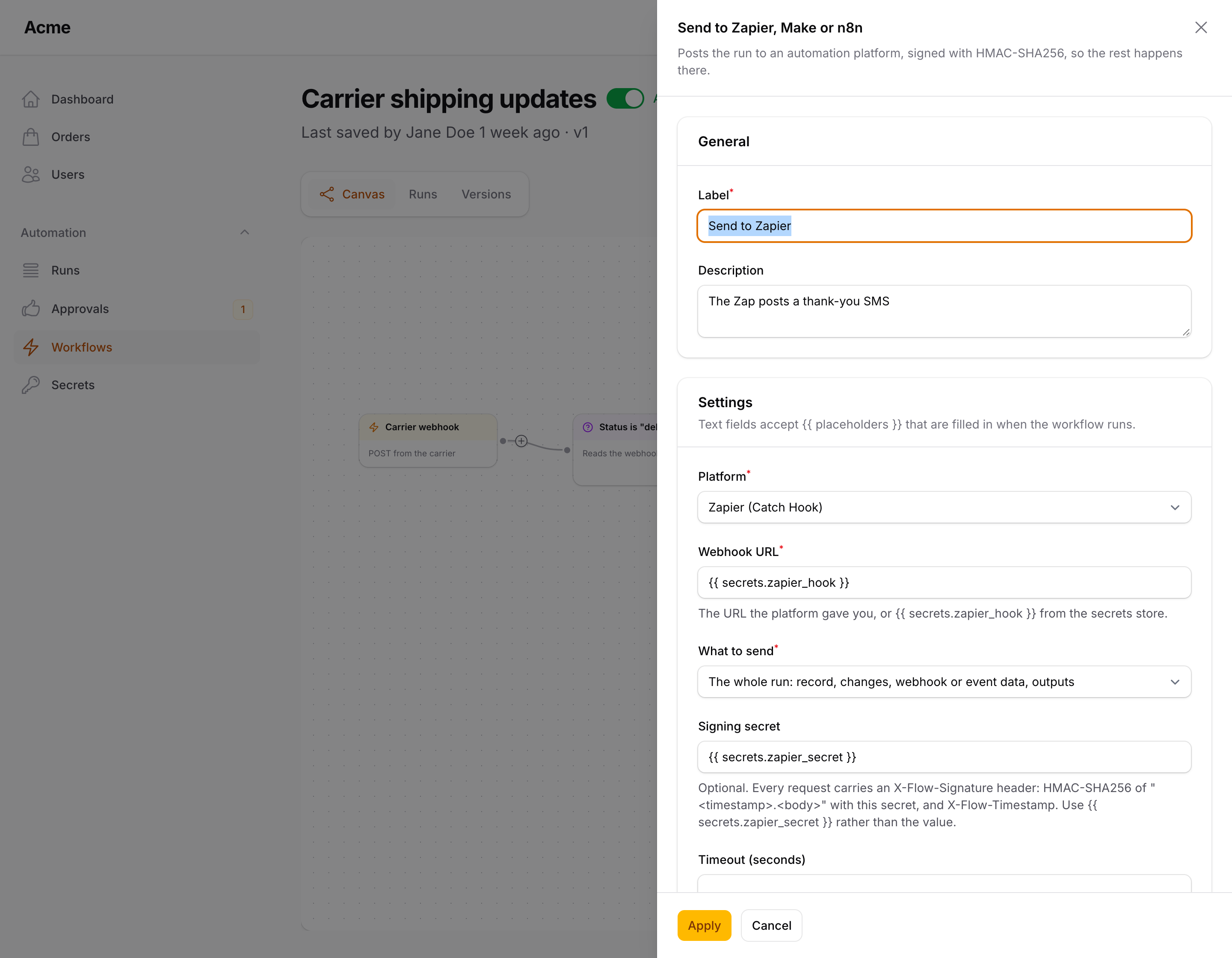
| Setting | |
|---|---|
| Platform | Zapier (Catch Hook), Make (Custom webhook), n8n (Webhook node) or any receiver; only the hints change |
| Webhook URL | The URL the platform gave you, or {{ secrets.zapier_hook }}; placeholders allowed |
| What to send | The whole run (below) or A JSON body of my own — the same JSON field as HTTP request, placeholders and a bare {{ model }} included |
| Signing secret | Optional; {{ secrets.zapier_secret }} rather than the value. See Verifying the signature |
| Timeout, Fail the run on a 4xx / 5xx response | As for HTTP request |
The whole run sends:
{
    "event": "record.updated",
    "workflow": {"id": "9c1f…", "name": "Order shipped"},
    "run": {"id": "9c20…", "trigger": "Packstub\\Flow\\Nodes\\Triggers\\RecordUpdated", "started_at": "2026-09-10T09:12:44+00:00"},
    "model": {"type": "App\\Models\\Order", "id": 42, "url": "https://app.test/admin/orders/42/edit", "attributes": {"reference": "ORD-0042", "status": "shipped", "...": "..."}},
    "changes": {"status": "shipped"},
    "original": {"status": "paid"},
    "webhook": {"...": "..."},
    "event_data": {"...": "..."},
    "outputs": {"http-1": {"status": 200, "...": "..."}},
    "sent_at": "2026-09-10T09:12:45+00:00"
}
event is the trigger's kind (record.created, record.updated, record.deleted, date.reached, schedule, webhook, event, manual, user.registered, state.transitioned, status.changed, workflow.called). Models are sent as their visible attributes (hidden ones such as passwords never leave), with the panel URL when a Filament resource exists for them; other objects in the payload become their public properties; secrets are never included. Every key is present only when the run has it, so a Zap built on an order update will not see webhook.
The response is available as {{ last.status }}, {{ last.ok }} and {{ last.body.* }}, as for HTTP request. Destinations pass the same network guard.
Verifying the signature
With a signing secret, every request carries X-Flow-Timestamp (Unix seconds) and X-Flow-Signature: the hex HMAC-SHA256 of "<timestamp>.<raw body>" with the secret. Verify it before trusting the payload, and reject timestamps older than a few minutes to stop replays:
- n8n: a Crypto node (Action: Hmac, Type: SHA256, Value:
{{ $json.headers['x-flow-timestamp'] + '.' + $json.rawBody }}— enable Raw Body on the Webhook node) followed by an IF comparing it to{{ $json.headers['x-flow-signature'] }}. - Make: a Custom webhook with Get request headers on, then a Text parser / Set variable step computing
sha256(…; hmac)and a Filter on equality. - Zapier: a Code by Zapier step (
crypto.createHmac('sha256', secret).update(timestamp + '.' + rawBody).digest('hex')), comparing with the header; Catch Raw Hook keeps the raw body. - Your own endpoint:
hash_equals(hash_hmac('sha256', $timestamp.'.'.$rawBody, $secret), $signature).
(The plugin's own webhook trigger verifies incoming requests the simpler way, an HMAC of the body alone in X-Signature; to call another Filament Flow install, use the HTTP request action and a shared secret there.)
Ask AI
Asks a language model a question built from the run and gets named fields back, so the nodes after it can branch on the answer: a ticket comes in → Ask AI returns urgency, category and a one-line summary → a condition on {{ last.urgency }} → assign round robin → notify. The step runs on Agents for Laravel (packstub/agents, free): provider and model, the workspace's own API key, the operator's budgets and limits and the structured output (through laravel/ai) all come from the engine, so a workflow never holds a provider key and the same limits apply as in the chat. The same engine powers Describe it on the create page, which drafts a whole workflow from a sentence.
composer require packstub/agents
The engine needs PHP 8.4. It is a suggested dependency: without it the node is simply not offered — not in the sidebar (the AI group appears with it, and the node is drawn in teal on the canvas), not in the validator, and templates that use it (Ticket triage) stay hidden — and everything else works as before. Configure a provider once (AGENT_PROVIDER and the key in config/ai.php, see the engine's installation); the node then lists the engine's model picker entries.
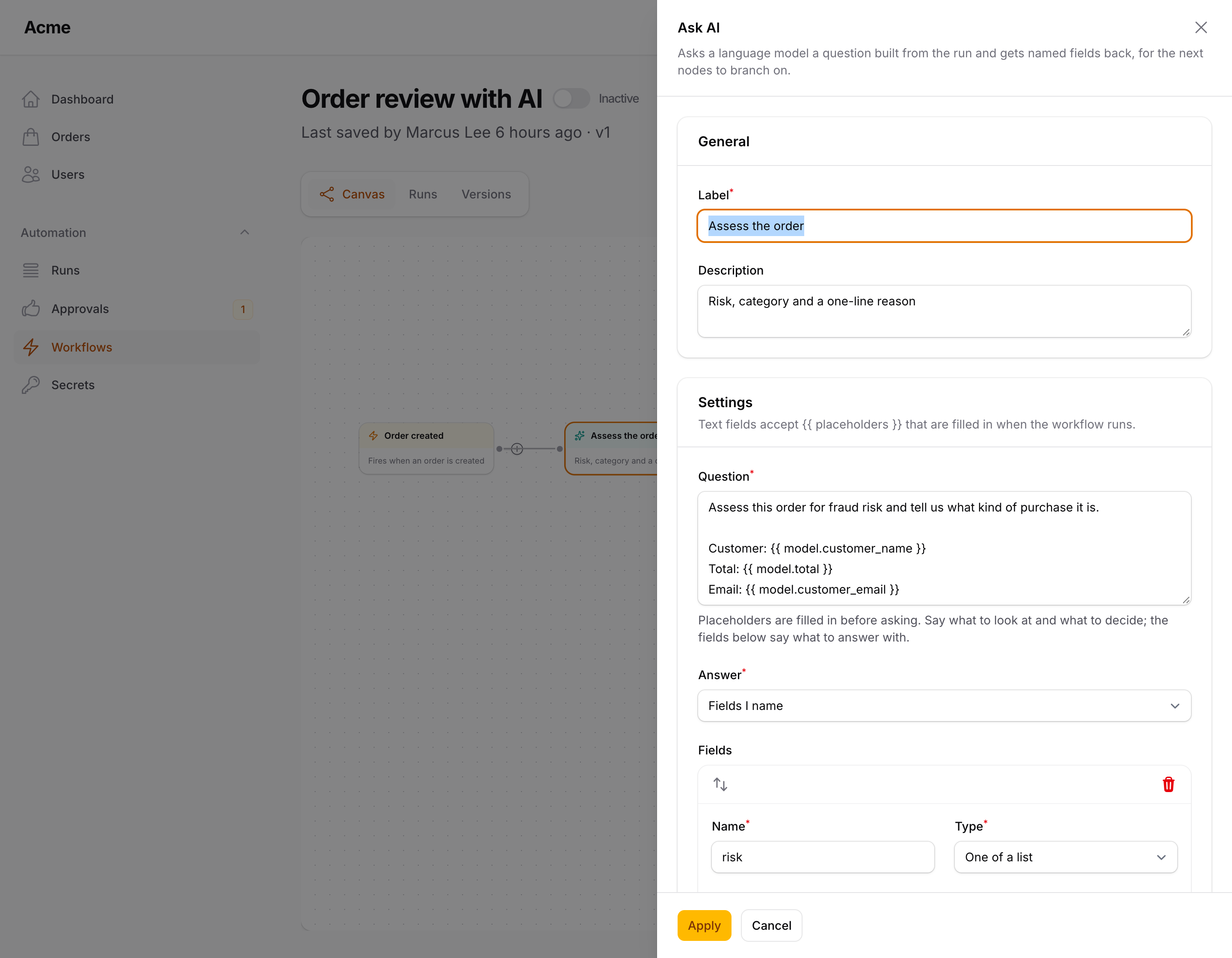
| Setting | |
|---|---|
| Question | What to look at and what to decide; placeholders allowed ({{ model.subject }}, {{ webhook.body }}, {{ secrets.* }}) |
| Answer | Fields I name: a list of fields, each with a name, a type (text, number, whole number, yes / no, one of a list, list of texts), an optional hint for the model and a required switch. Or A JSON Schema: an object schema with properties (string, number, integer, boolean, array, object, enum, description, nullable types such as ["integer", "null"]) and required, for nested answers |
| Instructions | Optional. The role and the rules, sent as the system prompt; placeholders allowed. Without one the model is told to answer with the fields requested and nothing else |
| Model | The entries of the engine's model picker (auto / fast / deep, or whatever packstub-agents.models lists, by model name); The default model is what the workspace uses in the chat |
| Timeout (seconds) | Default from ai.timeout in the config (60) |
| Fail the run when there is no answer | On by default. Off, the run continues with {{ last.ok }} false and the reason in {{ last.error }} |
The answer is exposed to the rest of the branch as {{ last.<field> }} for every field, plus {{ last.raw }} (the answer as the model wrote it, JSON), {{ last.ok }}, {{ last.model }}, {{ last.provider }} and {{ last.usage.input }} / {{ last.usage.output }} (tokens). Field names may not be ok, raw, model, provider, usage or error. A nested answer reads as {{ last.customer.vip }}; a list as {{ last.tags | join:, }}. The step log stores the answer and the usage, never the provider key; a secret used in the question is masked there as everywhere.
Budgets and workspaces. Before the question is sent the engine's budget is consulted (AgentBudget::refusal(): the workspace switched off, too many questions in a minute or a day, the daily or monthly token budget spent, a question longer than allowed) and after the answer the question is counted (AgentBudget::hit()), so the operator's AI limits apply to workflows too. In a panel with tenancy the question runs inside the run's tenant the way a queued chat turn does — AgentRuntime::enter(), which fires Filament's TenantSet (a tenancy plugin switches the database) or your Agents::enteringTenant() hook — so the budget, the limits and the workspace's own provider key are that tenant's, exactly as secrets and runs are scoped. That happens when the engine's workspace model is the one Flow scopes by (Agents::tenantModel() / the panel's tenant model); otherwise, or for a run without a tenant, the central limits apply.
Errors. A refusal by the budget and a provider error (a timeout, an outage, a content refusal) are ordinary failures of the node: the engine's message becomes the step error, and the node's Error handling settings decide — retry, log and continue, or follow the Error branch with {{ error.message }}. A test run never asks the model: the step is logged as simulated with the model it would ask, the question with placeholders filled in and the shape of the answer.
Next to the chat's own budget the engine counts turns from what laravel/ai stores with each conversation message; a question from a workflow is a one-off call and is not stored as a conversation, so it counts against the per-minute limit and is refused by the daily and monthly ones, but its tokens are not added to them.
Decide
A branch decided by Jev, TypeSafe's System One model: what to look at, one typed question — yes / no, one of your options, or a score on your levels — and the run continues along the answer. The node's branches on the canvas come from its settings (Yes / No, one per option, one per level), with a Not sure branch for answers under the confidence you ask for, so a person or an Ask AI step takes the close calls. Offered in the AI group once TYPESAFE_API_KEY is set; plain HTTP, no other package needed.

| Setting | |
|---|---|
| What to look at | The material for the decision, placeholders allowed; a JSON object or array is sent as structure |
| Decision | Yes / no, One of my options, A score on my levels |
| Question | One judgement, asked plainly |
| Yes from / No up to | Yes / no: the probability from which it is a yes (0.5), and optionally the one up to which it is a no; between them the run follows Not sure |
| Options / Levels | The branches of a choice (name and what it covers) or of a score (lowest first) |
| Minimum confidence | Choice and score: under it the run follows Not sure |
| Model, API key, Timeout | Optional: a pinned model version, a workspace's own key from a secret, the timeout in seconds |
The next nodes read {{ last.decision }}, {{ last.label }}, {{ last.branch }}, {{ last.confidence }}, {{ last.probability }} / {{ last.score }} and {{ last.probabilities.<option> }}. The full guide — setup, thresholds, a worked triage example, errors and tests — is Decisions with Jev.
Update record
Sets attributes on the record that started the run — the model in the payload of a record trigger, the user of User registered, or whatever you passed as model to Flow::run().
| Setting | |
|---|---|
| Attributes | Attribute / value pairs; placeholders allowed in values. A value that is exactly one placeholder keeps its type ({{ webhook.total }} writes a number, {{ missing }} writes null) |
| Save without firing events | On by default |
| Bypass mass-assignment protection | Off by default |
Attributes go through the model's $fillable / $guarded rules: writing a guarded attribute fails the run with a message naming it. Turn on Bypass mass-assignment protection to use forceFill() instead — only when everyone who can edit workflows may write any column. The action exposes the saved changes as {{ last.changes.status }}. With Save without firing events on, the record is saved with saveQuietly(): no Eloquent events, no observers, and no Record updated trigger — which keeps a workflow that reacts to updates from starting itself again. Turn it off when you want observers and other workflows to see the change.
The action fails the run when the payload has no record, and does nothing when no attributes are configured.
Create record
Creates a record — on its own, or through a relationship of the record that started the run ("add a note to this order").
| Setting | |
|---|---|
| Record type | The model class |
| Through relationship | Optional: a hasMany / morphMany relationship of {{ model }} (notes); the new record is created on it, so the foreign key is set for you |
| Attributes | Attribute / value pairs; placeholders allowed, a bare placeholder keeps its type |
| Create without firing events | On by default (Model::withoutEvents()), so a Record created trigger does not start another workflow |
| Bypass mass-assignment protection | Off by default; otherwise attributes must be fillable |
Continue with the new record as {{ model }} |
The nodes after this one see the new record instead of the original |
Exposes {{ last.id }}, {{ last.type }} and {{ last.record.<attribute> }}.
Assign owner
Sets a user on the record that started the run.
| Setting | |
|---|---|
| Attribute | user_id by default |
| Assign | A specific user — an email or id, placeholders allowed — or The next user in turn: a list of emails, assigned round robin (the turn counter lives in the cache) |
| Save without firing events | On by default |
Exposes {{ last.owner_id }}, {{ last.owner_email }} and {{ last.owner_name }}. Fails the run when no user matches.
Add tag
Available when spatie/laravel-tags is installed and the model uses HasTags.
| Setting | |
|---|---|
| Tags | Comma separated; placeholders allowed (vip, {{ model.country }}) |
| Tag type | Optional |
| Mode | Attach (default), Detach or Sync (replace) |
Find records
Queries records for a For each loop: "orders unpaid for three days", "users without a login this month".
| Setting | |
|---|---|
| Record type | The model class |
| Conditions | Attribute, operator, value — all must match. Operators: equals, does not equal, greater / less than (or equal), contains, does not contain, is one of, is not one of, is null, is not null, is a date before / after. Values accept placeholders (a bare placeholder keeps its type); the date operators accept relative dates: -3 days, now, next monday |
| Order by / Direction | Optional |
| Limit | 100 by default, never more than max_records (config, 1000) |
The action changes nothing, so a test run executes it for real. Exposes {{ last.count }}, {{ last.ids }} and {{ last.records }} — the step log keeps the count and the first ids; the branch gets the records.
For each
Runs the nodes on its Each item output once per item of a list, then continues along Done.
| Setting | |
|---|---|
| Items | A placeholder for a list — {{ last.records }} after Find records, {{ webhook.items }}, or comma-separated text |
| Item name | The current item is {{ item }} (or the name you choose: {{ order.reference }}) |
| Maximum iterations | The run fails when the list is longer (100 by default, never more than max_records) |
Inside the loop body, {{ loop.index }} (from 0), {{ loop.number }} (from 1), {{ loop.count }}, {{ loop.first }} and {{ loop.last }} are available too; a Wait inside the body pauses that iteration only. Outputs made inside the body do not leak to the Done branch, which sees {{ last.count }} — the number of items. Loops nest.
Ask for approval
Pauses the run until an approver decides, from the notification, an email link or the Approvals page. Outputs Approved, Rejected and Timed out. See Approvals & signals.
Wait for signal
Pauses the run until your code calls Flow::signal('<key>', [...]). Outputs Received and Timed out. See Approvals & signals.
Transition state
Available when spatie/laravel-model-states is installed. Moves the record's state through the package, so the transition class configured on the model runs and the StateChanged event fires (which can start a State transitioned workflow).
| Setting | |
|---|---|
| State field | The state attribute, status by default |
| To state | The state name (as stored) or class; placeholders allowed |
Exposes {{ last.from }} and {{ last.to }}. A transition the model does not allow fails the run with a message naming both states.
Wait
Pauses the run and continues the nodes after it later, through the queue.
| Setting | |
|---|---|
| Wait | For a duration (default) or Until a date from the payload |
| Duration / Unit | The length of the wait, or the offset from the date: Seconds, Minutes (default), Hours or Days |
| Date | Until mode only: a placeholder or a date, e.g. {{ model.starts_at }} or {{ model.due_at }} |
| Offset | Until mode only: continue that duration before or after the date |
"1 day before {{ model.starts_at }}" sends an appointment reminder; "3 days after {{ model.due_at }}" is a dunning step. A date already in the past (after the offset) continues immediately, and a date that cannot be read from the payload does too.
When the runner reaches a Wait, it records the nodes connected to the Wait's output, marks the run Waiting, and dispatches a delayed job that resumes them once the time has passed. A Wait with nothing connected after it finishes the run immediately. Everything about how this interacts with your queue — the graph snapshot, several Waits in one run, the sync driver — is in Queue & scheduling.
Call workflow
Runs another workflow with the current payload.
| Setting | |
|---|---|
| Workflow | The workflow to call. It must contain a Called by another workflow trigger; the call enters through that node |
The called workflow receives the caller's payload plus flow_depth, which grows by one per nested call. When workflows call each other more than 10 levels deep, the run fails with a clear message instead of looping.
When runs execute synchronously (the default), the called workflow runs to completion inside the calling action; if it fails, the caller fails too with the same error. With queued runs, the called workflow is pushed onto the queue as its own job and the caller continues right away. The action fails when the target workflow no longer exists or has no matching trigger; a target that is inactive is skipped silently.
Write to log
Writes a line to the application log.
| Setting | |
|---|---|
| Level | debug, info (default), notice, warning or error |
| Message | Placeholders allowed |
Lines are prefixed with [flow] , e.g. [flow] Order ORD-0042 changed to shipped.
Writing your own action
See Extending.
Next: Conditions.