Your first sheet
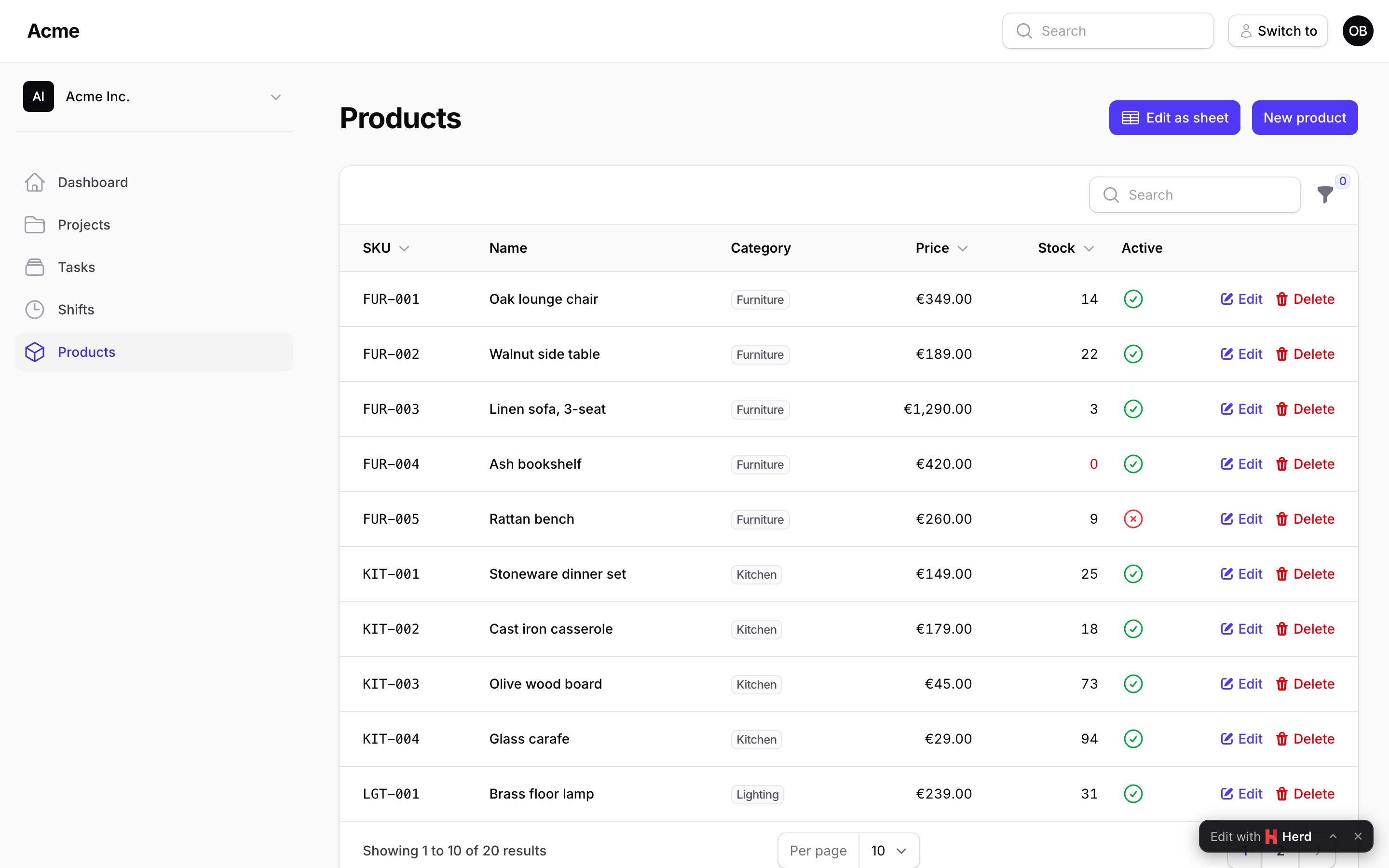
The resource page
namespace App\Filament\Resources\Products\Pages;

use App\Filament\Resources\Products\ProductResource;
use App\Models\Category;
use App\Models\Product;
use Packstub\Spreadsheet\Columns\BooleanColumn;
use Packstub\Spreadsheet\Columns\ComputedColumn;
use Packstub\Spreadsheet\Columns\DateColumn;
use Packstub\Spreadsheet\Columns\NumberColumn;
use Packstub\Spreadsheet\Columns\SelectColumn;
use Packstub\Spreadsheet\Columns\TextColumn;
use Packstub\Spreadsheet\Enums\SaveMode;
use Packstub\Spreadsheet\Filter;
use Packstub\Spreadsheet\Pages\SpreadsheetResourcePage;
use Packstub\Spreadsheet\Spreadsheet;

class ProductsSheet extends SpreadsheetResourcePage
{
    protected static string $resource = ProductResource::class;

    public function spreadsheet(Spreadsheet $spreadsheet): Spreadsheet
    {
        return $spreadsheet
            ->columns([
                TextColumn::make('sku')->rules(['required', 'max:32', 'unique:products,sku'])->frozen(),
                TextColumn::make('name')->rules(['required', 'max:120']),
                SelectColumn::make('category_id')->relationship('category', 'name'),
                NumberColumn::make('price')->decimals(2)->min(0),
                NumberColumn::make('stock')->integer()->min(0),
                BooleanColumn::make('is_active')->default(true),
                DateColumn::make('available_on'),
                ComputedColumn::make('margin')->state(fn (Product $product) => $product->price - $product->cost),
            ])
            ->searchable(['sku', 'name'])
            ->defaultSort('sku')
            ->perPage(200)
            ->filters([
                Filter::select('category_id')->options(fn () => Category::pluck('name', 'id')->all()),
                Filter::boolean('is_active'),
            ])
            ->creatable()
            ->deletable()
            ->saveMode(SaveMode::PerRow);
    }
}
Register it in the resource like any other page:
public static function getPages(): array
{
    return [
        'index' => ListProducts::route('/'),
        'sheet' => ProductsSheet::route('/sheet'),
    ];
}
The page is served at /admin/products/sheet. Access follows the resource's policy (viewAny), like the list page.
The link from the list
SheetAction is a header action for the list page that links to the sheet and hides itself when the user may not open it:
use Packstub\Spreadsheet\Actions\SheetAction;

class ListProducts extends ListRecords
{
    protected function getHeaderActions(): array
    {
        return [SheetAction::make(), CreateAction::make()];
    }
}
->page('bulk') names another page key from getPages(); ->resource(OtherResource::class) links to another resource's sheet; ->label() and ->icon() work as on any action.
What the resource decides
On a resource page three things come from the resource unless the definition sets its own:
- The rows:
ProductResource::getEloquentQuery(). Scope it there (a tenant, the user's team) and the sheet reads and writes inside that scope only; a record outside it "is no longer in the sheet". - The abilities:
canEdit($record)for every changed row,canCreate()for new rows,canDelete($record)for deletions. A row the user may not update is greyed and refuses edits in the browser, and the server refuses it again. - Access: the page's
canAccess()is the resource's.
->query(), ->authorizeUpdate(), ->authorizeCreate() and ->authorizeDelete() on the definition override each of these; see Authorization.
The row's identity
Records are addressed by their primary key (getKey()), whatever its type (int, uuid, ulid). The version compared before a write is updated_at by default; see Saving to change or disable it.