Linked accounts
Linked accounts let one person hold several accounts and move between them without signing out. The typical setup is a full admin account you rarely touch and a daily account with fewer permissions — the plugin makes the safe account the convenient one.
The "Switch to" menu
Once you have at least one linked account, a Switch to button appears next to the user menu. It lists every linked account with its label (or name) and e-mail, plus a link to the Linked accounts page.
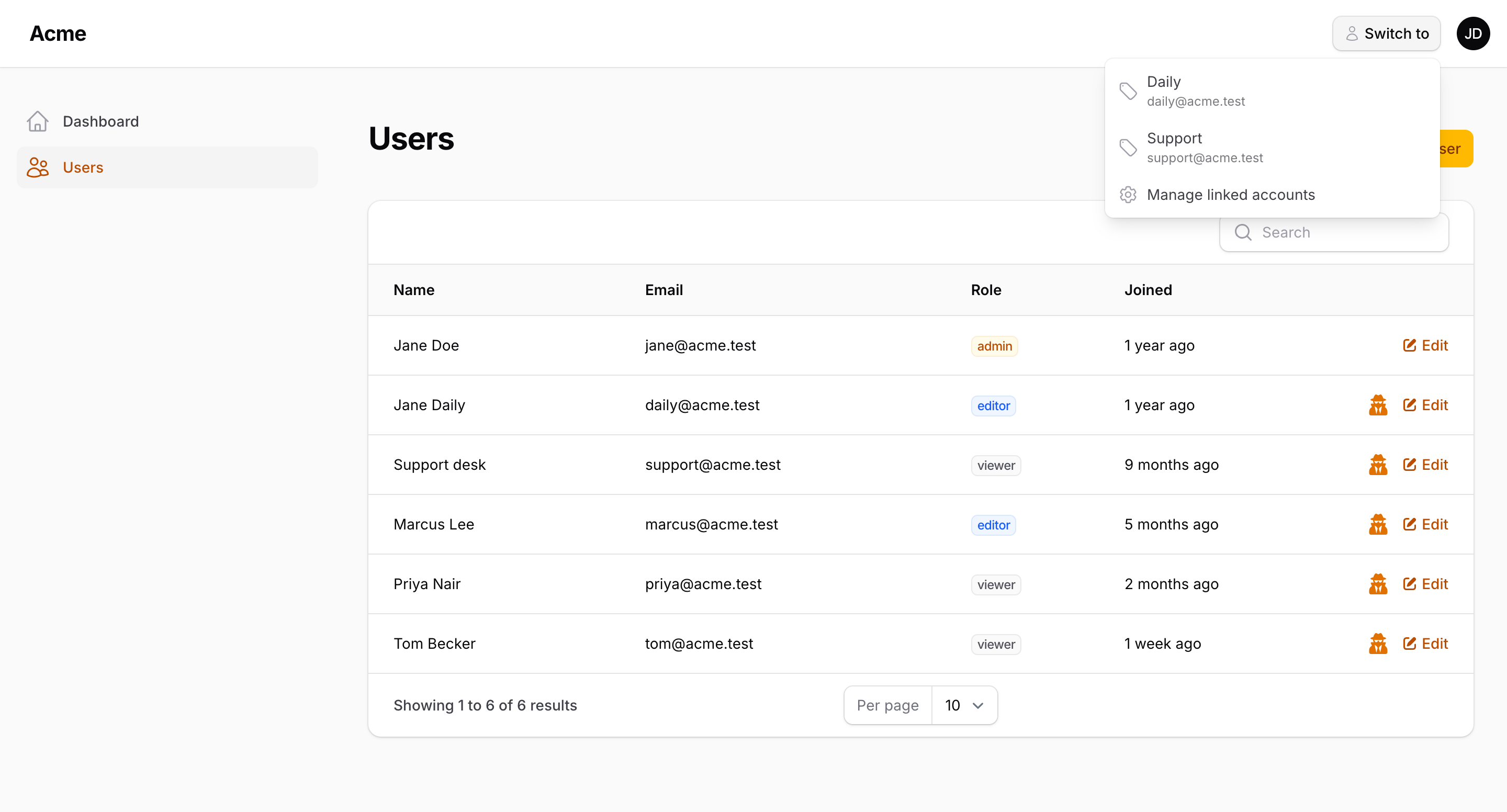
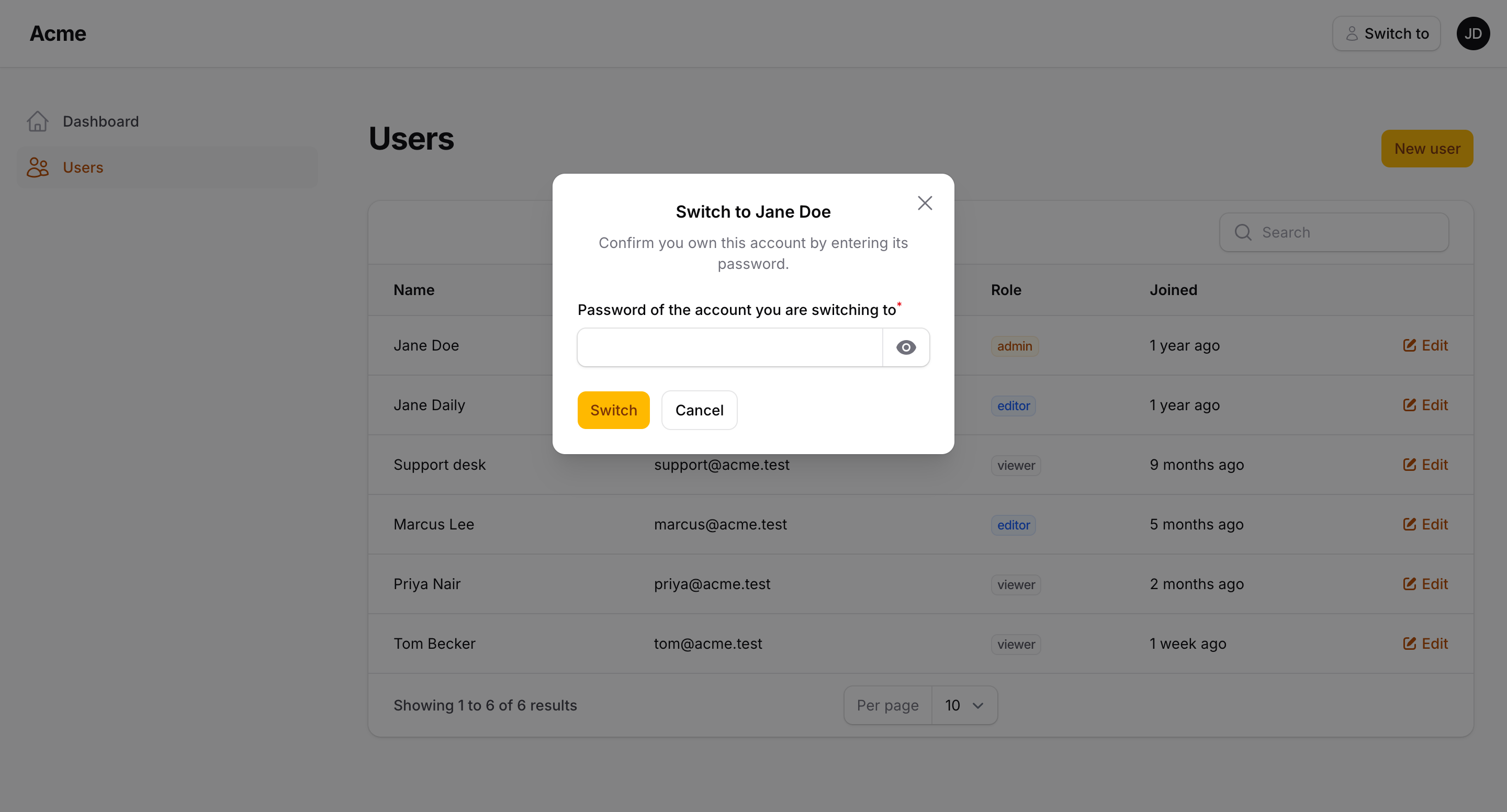
Choosing an account either switches immediately or opens a small modal asking for that account's password, depending on the link's Ask for password when switching setting.
The menu is hidden while impersonating — see Security.
To move it elsewhere, pass any PanelsRenderHook constant:
use Filament\View\PanelsRenderHook;

AccountSwitcherPlugin::make()
    ->switcherRenderHook(PanelsRenderHook::USER_MENU_PROFILE_BEFORE)
The Linked accounts page
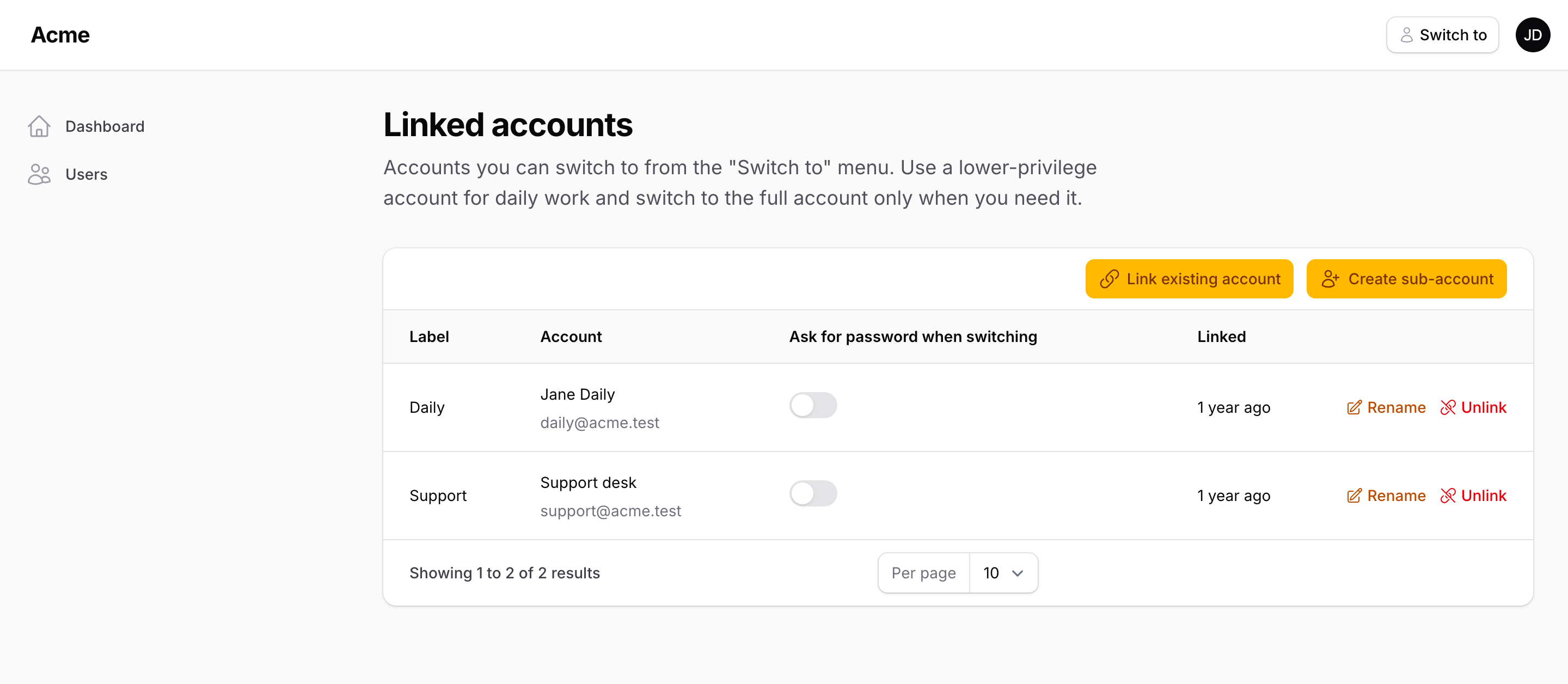
Reachable from the user menu (Linked accounts) or at /{panel}/linked-accounts. It lists the accounts linked to the one you're signed in with, and offers:
| Action | What it does |
|---|---|
| Create sub-account | Creates a new user (name, e-mail, password) and links it to you. The new account is created through your user model, or through createSubAccountUsing() if you need to set roles or extra columns. |
| Link existing account | Links an account you already own. You must enter that account's e-mail and password — proving you control it. |
| Rename | The label shown in the menu (for example "Daily" or "Super admin"). |
| Ask for password when switching | Toggle per link. See the password rule. |
| Unlink | Removes the link in both directions. |
The page is unavailable while impersonating.
Creating sub-accounts with roles
By default a sub-account is User::create(['name', 'email', 'password']). Hook in to assign roles, copy attributes, or send a welcome e-mail:
AccountSwitcherPlugin::make()
    ->createSubAccountUsing(function (array $data, User $owner): User {
        $account = User::create([
            ...$data,
            'team_id' => $owner->team_id,
        ]);

        $account->assignRole('editor');

        return $account;
    })
$data contains name, email and an already-hashed password.
Hiding the user menu item
By default the plugin adds a Linked accounts item to the user menu:
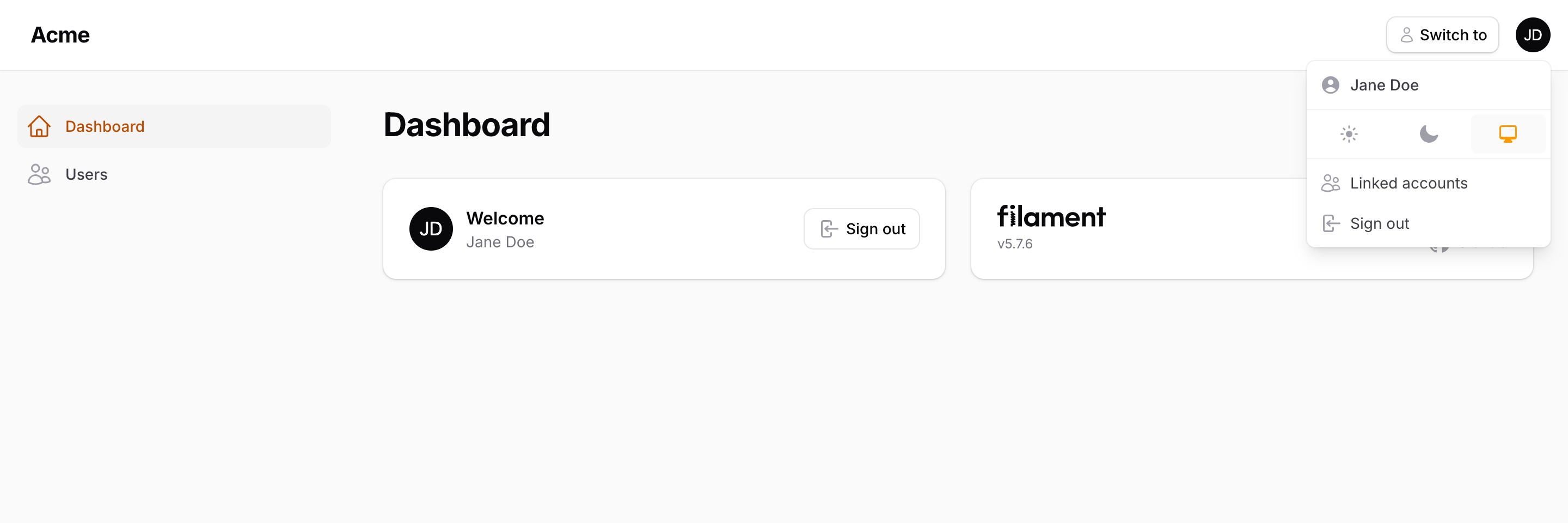
AccountSwitcherPlugin::make()
    ->linkedAccounts(userMenuItem: false)
The page remains registered so you can link to it from elsewhere (LinkedAccounts::getUrl()).
Replacing the page
Extend Packstub\AccountSwitcher\Filament\Pages\LinkedAccounts, override what you need, and register your class:
AccountSwitcherPlugin::make()
    ->linkedAccountsPage(App\Filament\Pages\MyLinkedAccounts::class)
The password rule
Each direction of a link has its own requires password flag:
- When you create the link (from account A to account B), you choose whether switching A → B asks for B's password.
- The reverse direction (B → A) always requires A's password until someone signed in as B relaxes it from B's Linked accounts page.
In practice: create your daily sub-account from the admin account with the toggle off, and you get one-click down, password-protected up. The password asked for is always the target account's — a compromised low-privilege session cannot reach the admin account without the admin password.
Programmatic API
The trait on your user model:
$admin->linkAccount($daily, label: 'Daily', requiresPassword: false);
$admin->unlinkAccount($daily);
$admin->isLinkedTo($daily);          // bool
$admin->linkedAccounts;              // BelongsToMany, pivot has label + requires_password
The AccountSwitcher facade:
use Packstub\AccountSwitcher\Facades\AccountSwitcher;

AccountSwitcher::canSwitchToLinkedAccount($from, $to);   // bool
AccountSwitcher::requiresPassword($from, $to);           // bool
AccountSwitcher::switchToLinkedAccount($to, $password);  // throws AccountSwitchDenied
AccountSwitcher::redirectUrlFor($to);                    // where to send the browser next
switchToLinkedAccount() re-authenticates the panel guard as the target, regenerates the session, writes an audit row, and dispatches AccountSwitching then AccountSwitched with reason SwitchReason::LinkedAccount.
Adding your own rule
Deny a switch for reasons of your own — a locked account, a required 2FA, a tenant boundary:
AccountSwitcherPlugin::make()
    ->canSwitchUsing(fn (User $from, User $to): bool => ! $to->is_locked && $to->two_factor_confirmed_at !== null)
The callback runs after the built-in checks (linked, not impersonating, target may access a panel).