Impersonation
Sign in as another user to see what they see, then switch back. Impersonation is for support and debugging; for your own accounts use linked accounts.
The action
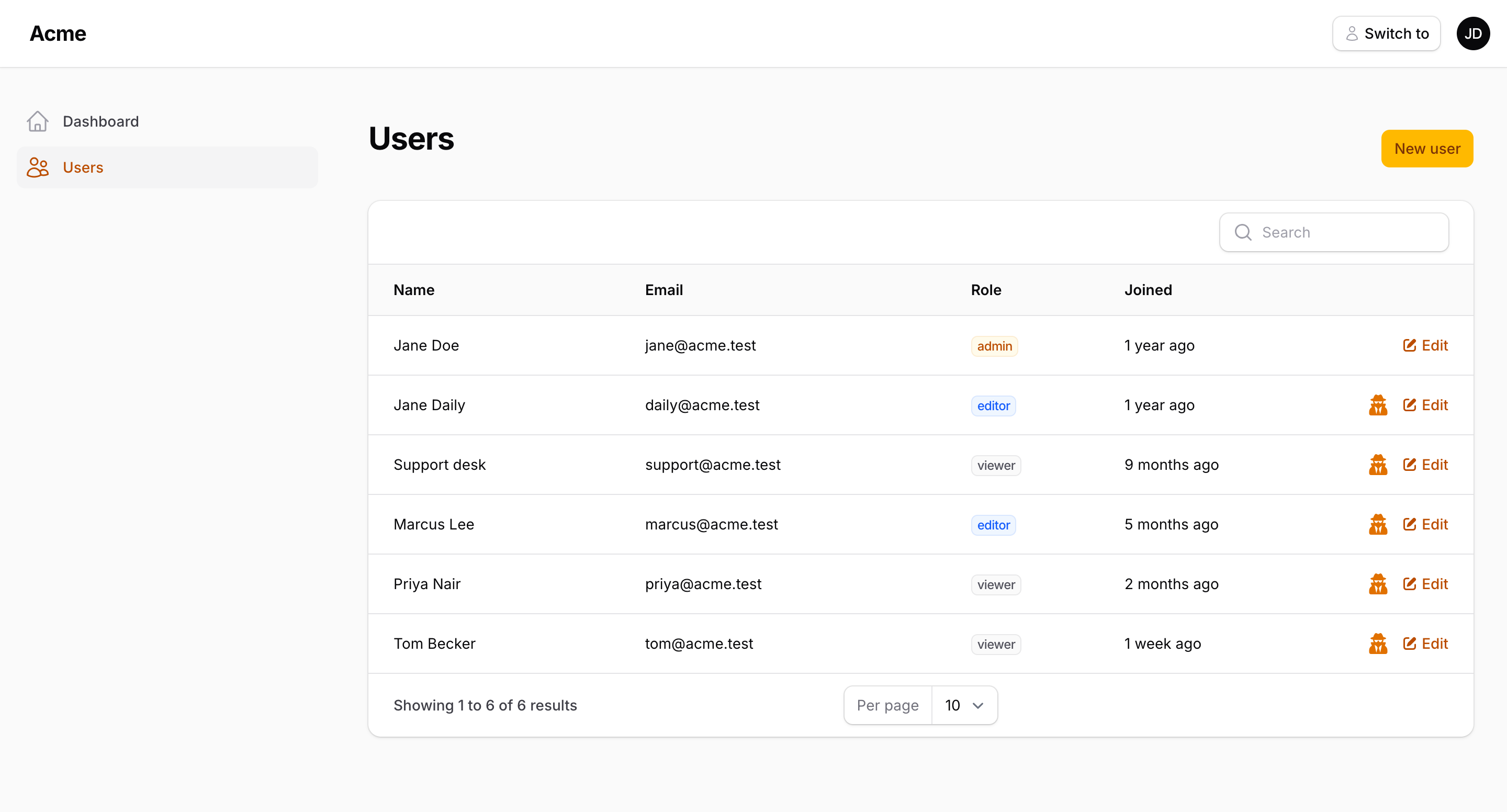
ImpersonateAction works as a table record action or a page header action:
use Packstub\AccountSwitcher\Filament\Actions\ImpersonateAction;

// UserResource table
->recordActions([
    ImpersonateAction::make(),
])

// EditUser / ViewUser page
protected function getHeaderActions(): array
{
    return [
        ImpersonateAction::make()->record($this->getRecord()),
    ];
}
It's an icon button by default; chain the usual Action methods to change that (->button(), ->label(), ->color(), ->requiresConfirmation()).
Clicking it re-authenticates the session as the record, stores the impersonator in the session, writes an audit row, and redirects to a panel the impersonated user may access (the current one when possible — see redirectTo() in Configuration).
Authorization
The action is hidden, and AccountSwitcher::impersonate() throws, unless all of these pass:
- The target is not the current user.
- The session is not already impersonating (no nesting).
canImpersonate($target)on the current user returns true — if the method exists.canBeImpersonated($by)on the target returns true — if the method exists.- The plugin's
canImpersonateUsing()callback returns true — if set.
class User extends Authenticatable
{
    public function canImpersonate(User $target): bool
    {
        return $this->hasRole('super-admin');
    }

    public function canBeImpersonated(User $by): bool
    {
        return ! $this->hasRole('super-admin');
    }
}
Important
Without canImpersonate() on your model, every panel user can impersonate. Add it before going to production, or use canImpersonateUsing() on the plugin.
AccountSwitcherPlugin::make()
    ->canImpersonateUsing(fn (User $by, User $target): bool => $by->can('impersonate', $target))
The banner
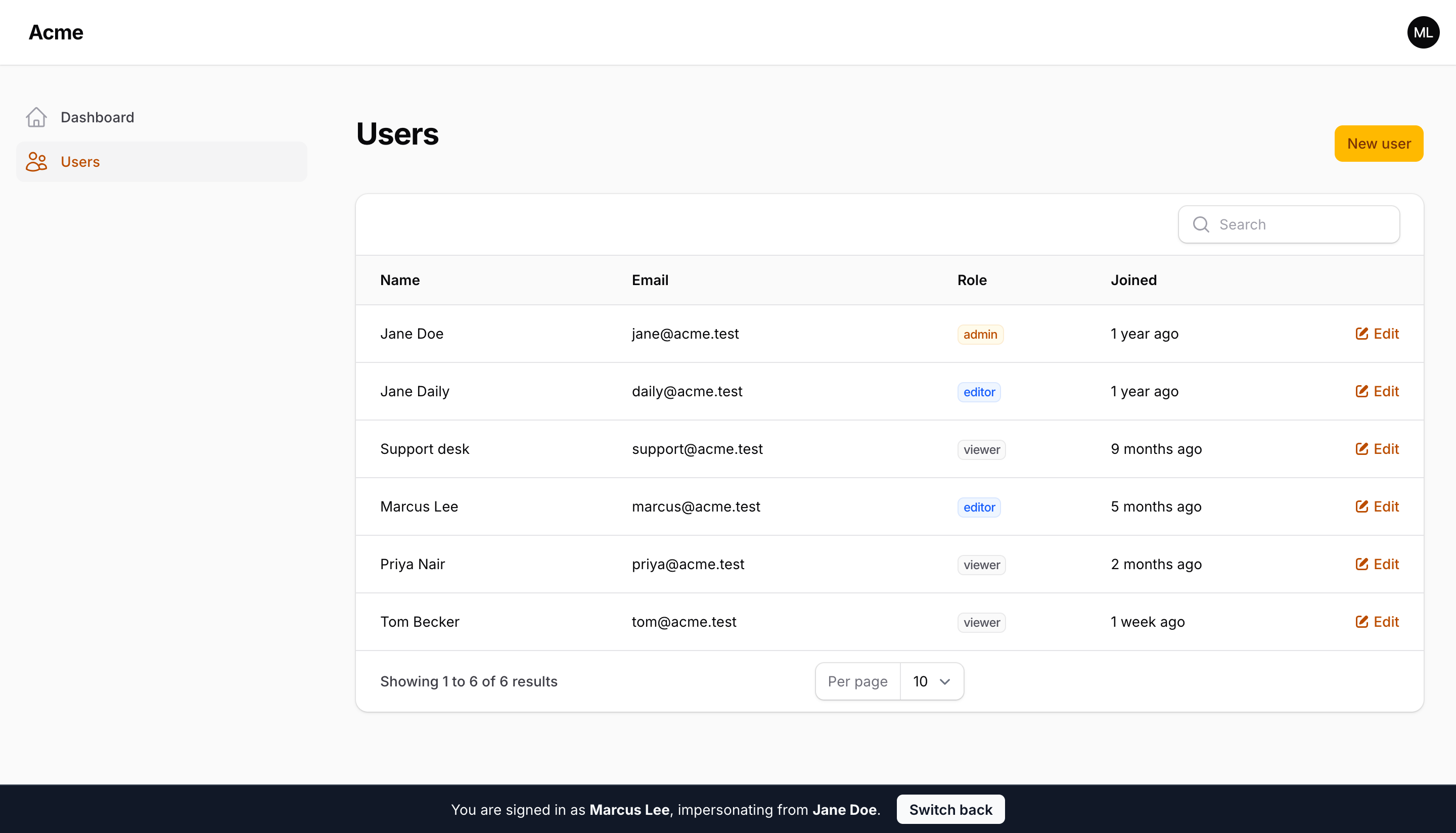
While impersonating, a fixed banner reads "You are signed in as Jane, impersonating from Admin" with a Switch back button. It renders at the bottom of every panel page; move it to the top or switch to the light style:
AccountSwitcherPlugin::make()
    ->banner(position: 'top', style: 'light')
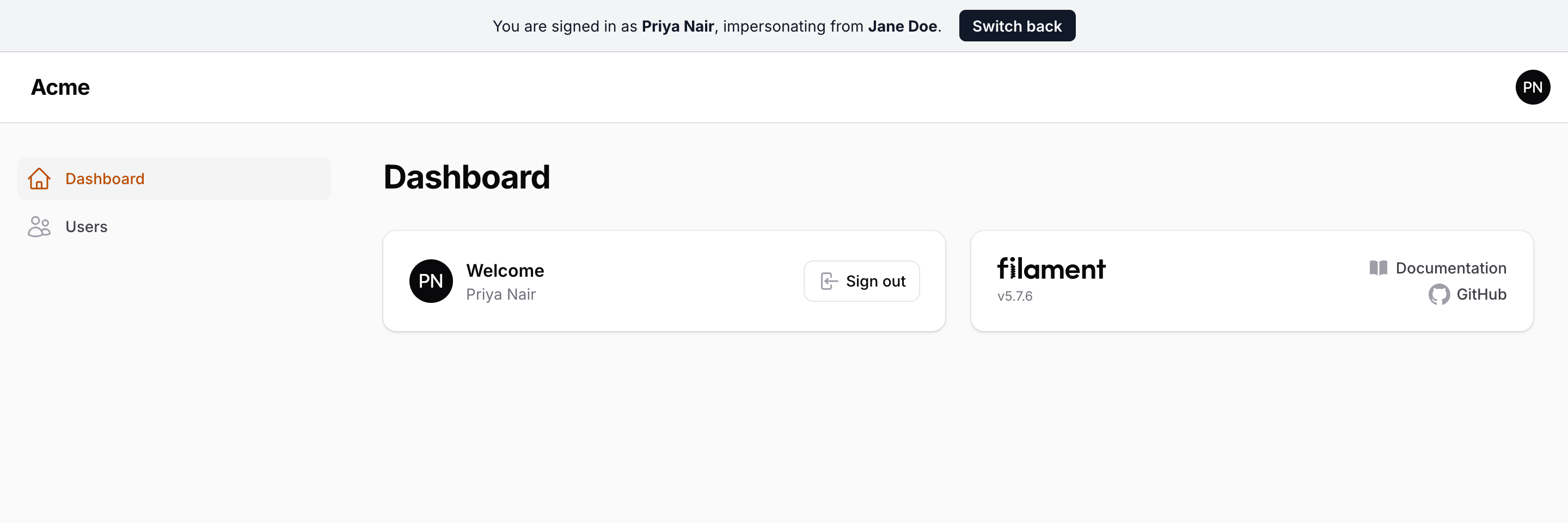
To restyle it completely, publish the views and edit resources/views/vendor/packstub-account-switcher/banner.blade.php:
php artisan vendor:publish --tag="packstub-account-switcher-views"
The banner is a plain Blade view with inline styles so it works with any panel theme and doesn't need a custom Tailwind build.
Switching back
Switch back posts to filament.{panel}.account-switcher.switch-back, a CSRF-protected route inside the panel's authenticated group. It restores the impersonator's session, logs the end of the impersonation, and returns to the page the impersonation started from.
Programmatically:
use Packstub\AccountSwitcher\Facades\AccountSwitcher;

AccountSwitcher::isImpersonating();  // bool
AccountSwitcher::impersonator();     // ?Authenticatable
$url = AccountSwitcher::stopImpersonating();
Turning it off
AccountSwitcherPlugin::make()->impersonation(false)
The action stays hidden, the route isn't registered, and AccountSwitcher::impersonate() throws AccountSwitchDenied.
Events and log
Impersonating dispatches AccountSwitching then AccountSwitched with SwitchReason::Impersonation; switching back dispatches AccountSwitched with SwitchReason::ImpersonationEnded. Both write to the switch log. Listen to them to alert on impersonation of sensitive accounts or to invalidate API tokens.