Developer logins
One-click sign-in buttons under the login form, for the accounts you seed in development. Pick a user, land in the panel — no password typing while you build.
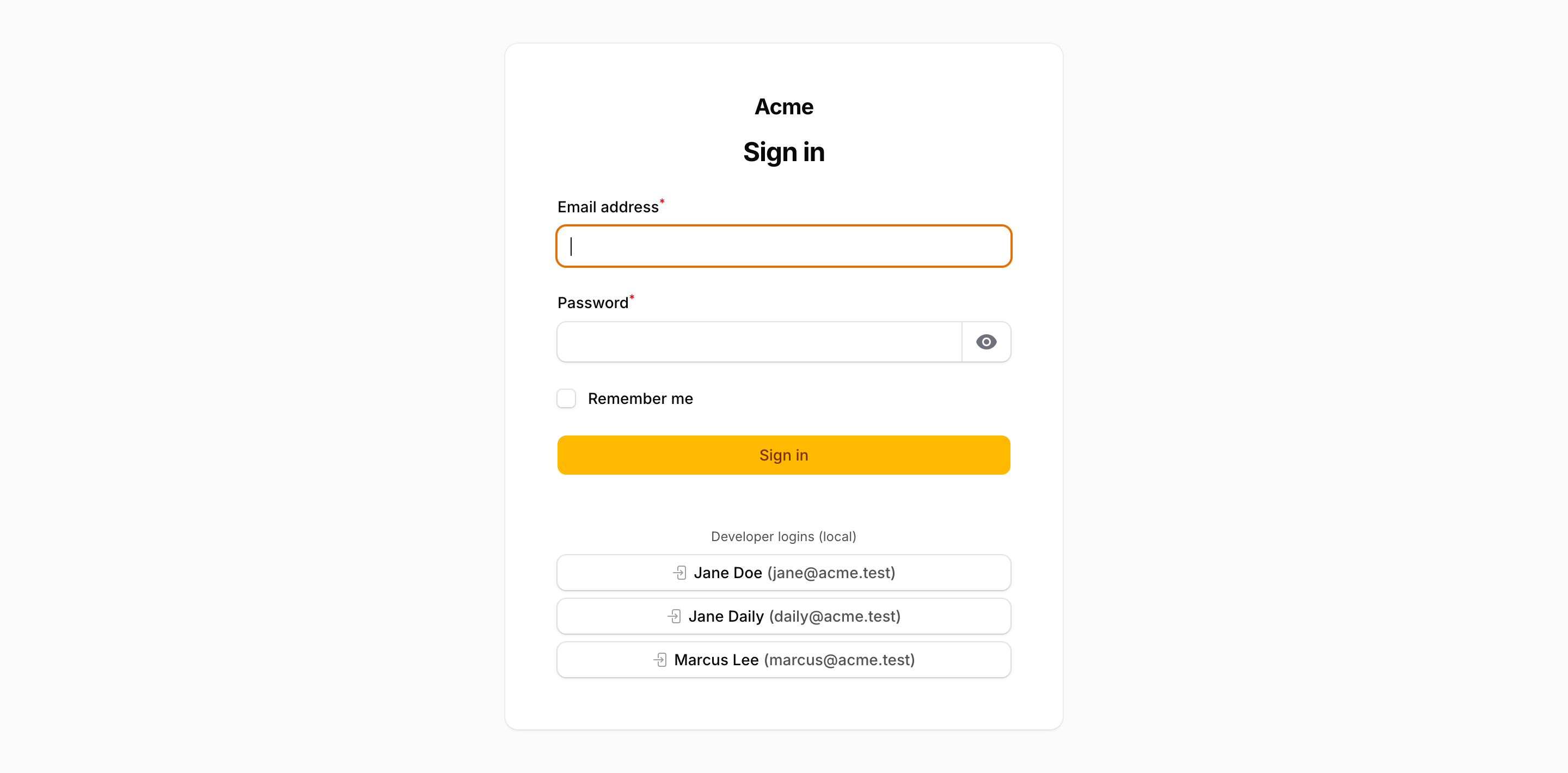
Enabling
Developer logins are off by default. Turn them on per panel and say which users appear:
use Packstub\AccountSwitcher\AccountSwitcherPlugin;

AccountSwitcherPlugin::make()
    // e-mails of seeded users
    ->developerLogins(['admin@example.com', 'editor@example.com', 'customer@example.com'])
Other forms:
// a closure returning the users (any iterable of Authenticatable)
->developerLogins(fn () => User::query()->whereIn('role', ['admin', 'editor'])->get())

// the first ten users by id
->developerLogins(true)

// off
->developerLogins(false)
How it's gated
Two independent checks must pass before a button renders or a login is accepted:
- Environment —
config('packstub-account-switcher.developer_logins.environments'),['local']by default. This is a hard ceiling: no panel setting can make the buttons appear in an environment that isn't listed. - Plugin —
->developerLogins()must be enabled on the panel, and the user must be in the resolved list.
The login itself is a CSRF-protected POST to filament.{panel}.account-switcher.developer-login, throttled to 10 requests per minute. The controller re-runs both checks and returns 404 when either fails, so a stray button or a crafted request never signs anyone in.
// config/packstub-account-switcher.php
'developer_logins' => [
    'environments' => ['local', 'testing'],
],
What happens on click
The panel guard is re-authenticated as the chosen user, the session is regenerated, an audit row with reason SwitchReason::DeveloperLogin is written, and the browser is redirected to a panel the user may access.
Customizing the buttons
Publish the views and edit resources/views/vendor/packstub-account-switcher/developer-logins.blade.php:
php artisan vendor:publish --tag="packstub-account-switcher-views"
The view receives $users (a collection) and renders one form per user using Filament's <x-filament::button>.