Groups
Rows are grouped by a column or a BelongsTo relation (a MorphTo is refused: two related records of different types may share an id). Each group is a row with a fold button, a colour dot and a count; the bars follow, one row each.
->groupBy('status')                              // a column: the label is the value in headline case (or the enum's HasLabel)
->groupBy('assignee_id')                         // a foreign key: give a label
->groupBy('project', label: 'project.name')      // a BelongsTo relation and a dotted path to its label
->groupBy('project', label: fn (Task $task) => $task->project->code.' · '.$task->project->name)
Without groupBy() there are no group rows: every bar is a row of its own.
The groups, in order
By default the groups appear in the order of their first bar, and a group without bars in the current window is not shown. To fix the order and show empty groups, list them:
use Packstub\Gantt\Group;

->groups(fn () => Group::fromModels(Project::query()->orderBy('name')->get(), label: 'name', color: 'color'))

->groups([
    Group::make('todo')->label('To do')->color('gray'),
    Group::make('doing')->label('In progress')->color('amber')->collapsed(),
    Group::make('done')->label('Done')->color('emerald'),
])
Bars whose group is not in the list are appended after it, so nothing silently disappears. The keys are the values of the group column, or the related model's key.
Group method |
What it does |
|---|---|
make($key) |
The value of the group column, or the related record's key. |
label() |
The row's text (default: the key in headline case). |
color() |
The dot next to it: what a bar's color() takes (Bars), or a closure. |
collapsed() |
Start folded; the user can unfold it and the chart remembers. |
fromModels($records, $label = 'name', $color = null) |
One group per model. |
Folding a group hides its bar rows; folds are remembered in the browser under the chart's key(). With a createAction(), a click on the group's own row creates in that group, so a group listed by groups() that has no bars yet can get its first one from the chart. A bar dragged onto another group's rows (or carried there with ↑/↓) moves into that group: the column or the foreign key is written with the dates, within the same rules (Moving to another row).
Resource timelines
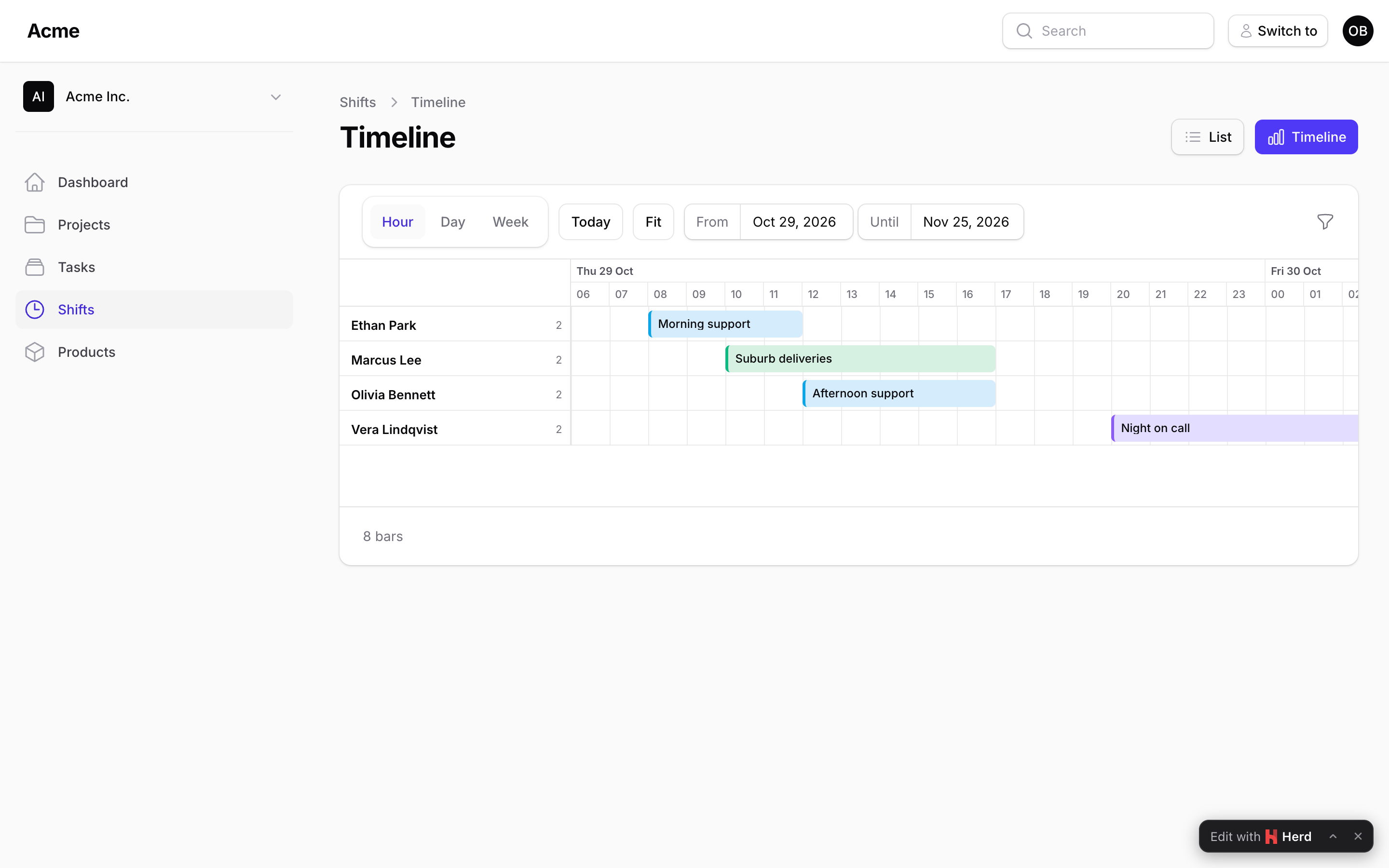
Rooms and their bookings, machines and their jobs, people and their shifts: every resource is a row and its bars sit side by side. That is the compact layout, ->compact(): the bars of a group share one row, and overlapping ones stack into lanes, so the row grows as needed.
use App\Models\Booking;
use App\Models\Room;
use Packstub\Gantt\Enums\Unit;
use Packstub\Gantt\Gantt;
use Packstub\Gantt\Group;

public function gantt(Gantt $gantt): Gantt
{
    return $gantt
        ->query(fn () => Booking::query()->with(['room', 'guest']))
        ->start('check_in')->end('check_out')
        ->label(fn (Booking $booking) => $booking->guest->name)
        ->color(fn (Booking $booking) => $booking->status->getColor())
        ->groupBy('room', label: 'room.name')
        ->groups(fn () => Group::fromModels(Room::query()->orderBy('floor')->orderBy('name')->get()))
        ->compact()
        ->snapTo(Unit::Day)
        ->canMove(function (Booking $booking, CarbonImmutable $start, CarbonImmutable $end) {
            $taken = Booking::query()
                ->whereKeyNot($booking)
                ->where('room_id', $booking->room_id)
                ->where('check_in', '<', $end)
                ->where('check_out', '>', $start)
                ->exists();

            return $taken ? 'The room is taken on those dates.' : true;
        })
        ->barAction(EditAction::make()->schema(BookingResource::fields()))
        ->createAction(CreateAction::make()->schema(BookingResource::fields()));
}
Every room appears, empty or not; a click on an empty spot of a room's row opens the create form with the room and the dates already filled in (Actions). Moving a bar to another row (another room) is not part of 1.0; the create and edit forms cover it.