User preferences
NitpickPlugin::make()->picker()
With the picker on, each signed-in user can choose the theme they see in that panel. The choice is theirs alone, saved for that panel, and applied on every device they sign in from (with the database store).
The Appearance modal and page
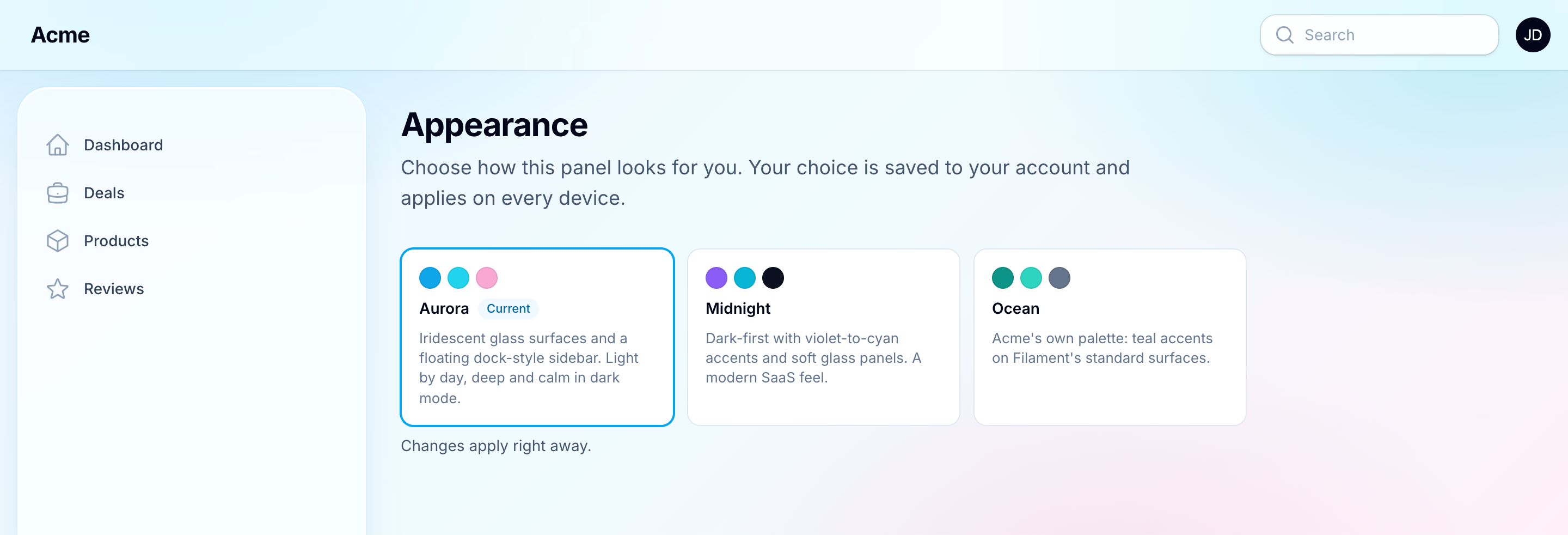
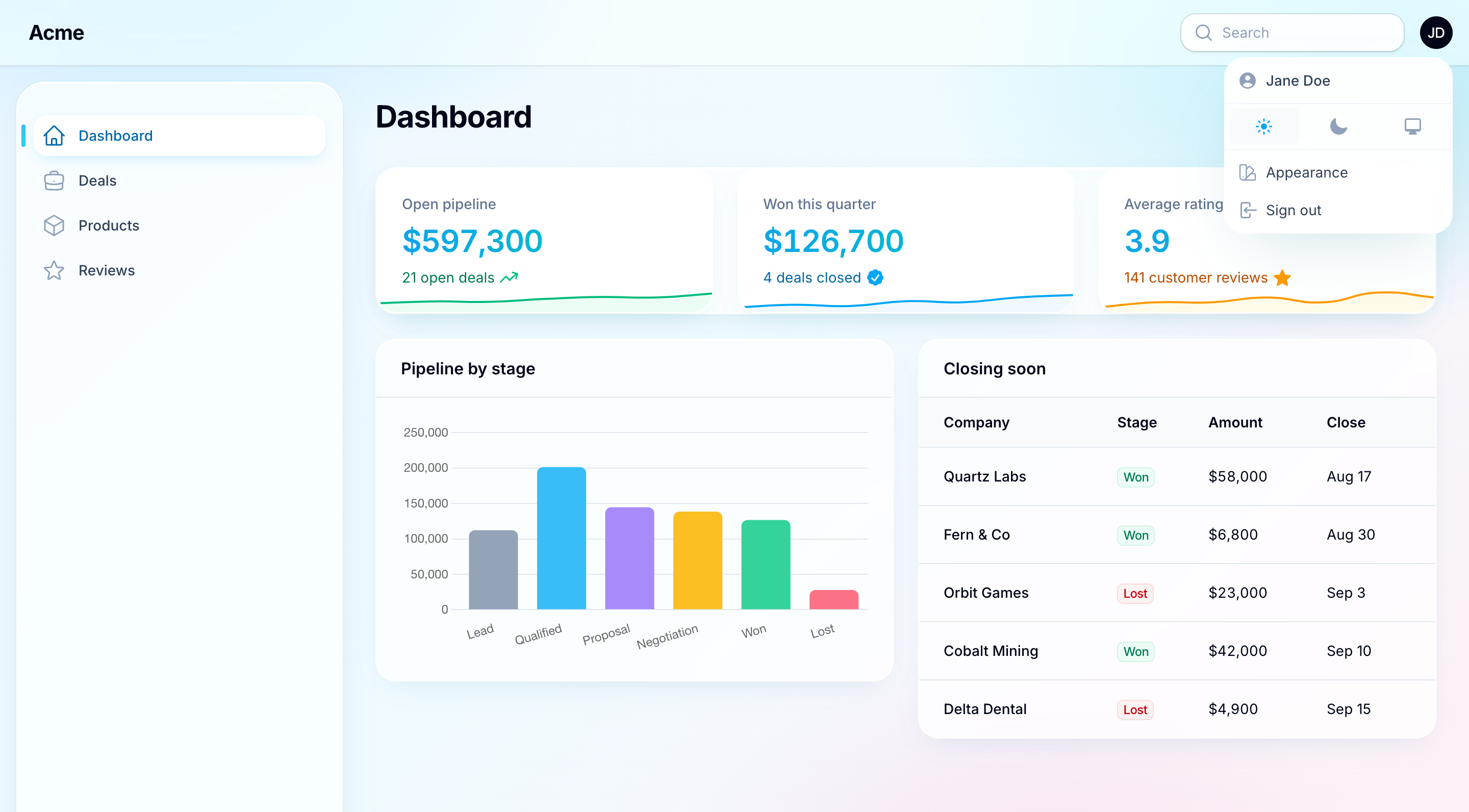
The Appearance item in the user menu opens the picker in a modal: one card per offered theme with a swatch strip and the label, the description as the card's tooltip. Clicking a card changes the theme and saves the choice. The modal has a fixed width and four columns (two on a tablet, one on a phone), so the cards stay where they are while a theme moves the navigation to the top or changes the sidebar's width around it. A theme that changes the panel's layout reloads the page, and the modal opens again after the reload, so someone trying a few themes keeps their place.
The plugin also registers an Appearance page at /{panel}/appearance, with the same picker, for a link of your own. To have the user menu link the page instead of opening the modal:
NitpickPlugin::make()->picker(modal: false)
Hide the menu item and link the page from somewhere else:
NitpickPlugin::make()->picker(userMenuItem: false)
Replace the page with your own subclass:
use Packstub\Nitpick\Filament\Pages\Appearance;

class ChooseYourLook extends Appearance
{
    protected static ?string $slug = 'look';
}

NitpickPlugin::make()->picker(page: ChooseYourLook::class)
Configure the picker in the modal and on the page the way you would your own ThemePicker field (see below):
use Packstub\Nitpick\Filament\Forms\Components\ThemePicker;

NitpickPlugin::make()->picker(fn (ThemePicker $picker) => $picker->descriptions())
Access follows the panel's own rules plus one more: the page returns 403 when the picker is off, so a condition closure can gate it per user:
NitpickPlugin::make()->picker(condition: fn (): bool => auth()->user()->isStaff())
Every argument of picker() is optional, and one you leave out keeps what an earlier call set, so ->picker(modal: false) after ->picker(fn ...) keeps the configured cards.
The ThemePicker field
The same picker is a form field. Drop it into your own profile page, a settings page or any Filament form:
use Packstub\Nitpick\Filament\Forms\Components\ThemePicker;

ThemePicker::make(),
It fills itself with the user's current theme for the current panel and, by default, saves on change. It saves quietly: the panel changing its look is the confirmation, and someone trying a few themes is not left with a stack of notifications. Add ->notify() for a "Theme updated" notification after each save.
To handle the value yourself on submit:
ThemePicker::make('theme')
    ->persist(false),
NitpickPlugin::get()->setUserTheme($data['theme']);
The field is dehydrated(false), so it never lands in your model's data by accident.
Cards: descriptions and swatches
Each card shows up to three swatches and the theme's name. Short cards scan faster, so the description is left off and shown as the card's tooltip. Show it under the name:
ThemePicker::make()->descriptions()
The swatches come from the theme's primary, info and success colours, or from ->swatches([...]) on the theme. A theme whose colours are unknown (a plugin that sets them in boot(), say) shows three empty swatches, so the cards line up. Leave the strip out:
ThemePicker::make()->swatches(false)
Both take a closure, evaluated when the form renders.
The cards fill the width they have. Fix the number of columns, in the shape of Filament's Radio::columns():
ThemePicker::make()->columns(['default' => 1, 'sm' => 2, 'lg' => 3])
Swap animations
A pick runs in two steps: a cover, black or white for the light/dark mode the new theme uses, comes over the panel, the theme changes underneath, and the cover lifts to show it. A theme that reloads the page waits for the cover, and the next page starts under it; the cover lifts once that page is whole (the modal back, lazy widgets loaded, at most 2.5 s), so nobody sees a layout arriving in pieces. The panel's own CSS transitions are held while it runs, so the cover lifts on the new theme already in place, not on colours still easing over. Three come with the plugin:
| Transition | What it does |
|---|---|
Transition::Fade |
The cover fades in, then out. The default |
Transition::Slide |
The cover slides in from the left and out to the right, like a curtain |
Transition::Sweep |
The cover sweeps in behind an edge turning about a point below the panel's right corner, then sweeps on past |
use Packstub\Nitpick\Enums\Transition;

NitpickPlugin::make()->picker(transition: Transition::Sweep)
NitpickPlugin::make()->picker(transition: false)   // change the theme at once
transition in the config file sets it for every panel ('fade', 'slide', 'sweep' or null for none). Visitors whose system asks for reduced motion get no animation. From your own JavaScript, window.PackstubThemes.pick('midnight') changes the theme with the panel's transition, and preview('midnight') without it (neither saves the choice). A theme that configures the panel shows only after a page load, so pick() covers the panel for it only when you pass { reload: true } and call window.PackstubThemes.reload() once your code has saved the choice; without it, only the theme's light/dark mode changes, as with preview().
Reading and writing a choice from code
use Packstub\Nitpick\NitpickPlugin;

$plugin = NitpickPlugin::get();        // the current panel's plugin

$plugin->getActiveTheme();            // what this request renders
$plugin->getUserTheme();              // the signed-in user's choice, or null
$plugin->getUserTheme($someone);      // another user's choice for this panel
$plugin->setUserTheme('midnight');    // save for the signed-in user
$plugin->setUserTheme(null);          // clear, so the panel default applies again
$plugin->setUserTheme('aurora', $someone);
setUserTheme() refuses a theme the panel does not offer and fires Packstub\Nitpick\Events\ThemeChanged with the user, the panel id and the theme (null when cleared).
A stored choice that is no longer offered, because a theme was removed from the panel or uninstalled, is ignored and the default applies. Nothing breaks for the user.
Where the choice is kept
store |
What happens |
|---|---|
database (default) |
One row per user and panel in theme_preferences. Survives logout and follows the user across devices. Needs the migration. |
session |
Kept in the session. No migration, forgotten at logout. Handy for a demo or a first try. |
Bring your own store by binding Packstub\Nitpick\Contracts\ThemePreferenceStore in a service provider; it is two methods, get() and set().
Live preview
When user selection is on, the page head carries every offered palette as CSS variables scoped to [data-packstub-theme="…"] and a tiny script exposing window.PackstubThemes:
window.PackstubThemes.current()          // 'aurora'
window.PackstubThemes.list()             // ['aurora', 'midnight']
window.PackstubThemes.preview('midnight') // swap stylesheet, palette and mode now
preview() only changes the current page; the picker follows it with the save. A packstub-theme-changed event fires on document after each preview. A theme that configures the panel, or a move away from one, shows only after a page load: preview() then adopts the theme's light/dark mode and returns false, and the picker reloads the page once the choice is saved.
Continue with Creating a theme.