Rendering
Three renderers share one pipeline: the same validation from the field definitions, the same spam checks, the same storage, events and notifications.
Blade
<x-form-builder::form form="contact" />
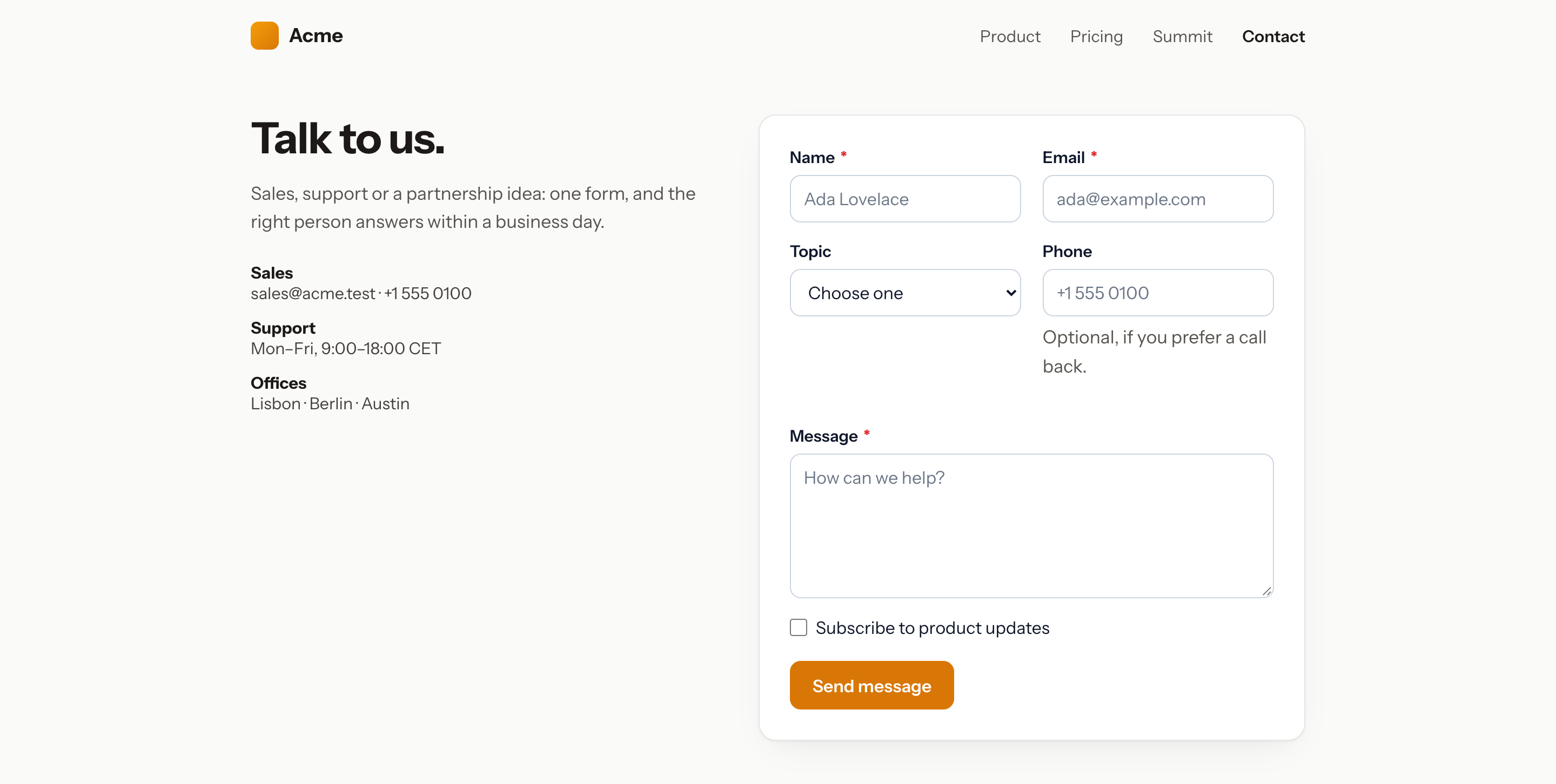
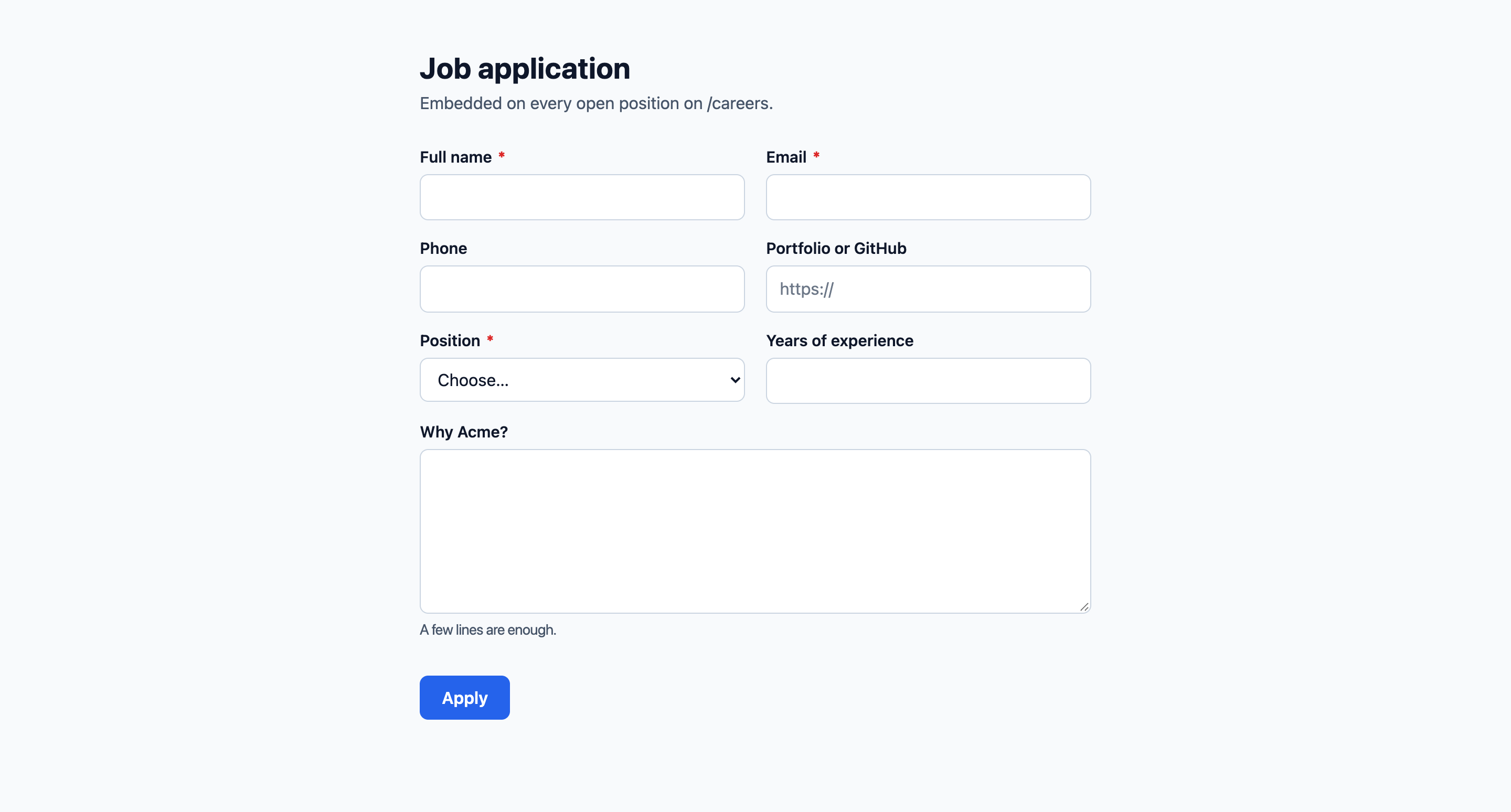
form takes a slug, an id, a Form model or a portable array (Form::fromArray()). The component renders a plain <form> posting to the submit route, with the honeypot and the time-trap token as hidden inputs, and a CSRF field when the page has a session. Sections render as cards, fields on a twelve-column grid; a password-protected form shows the prompt first; a captcha widget and the form's custom CSS and JavaScript come along.
Without JavaScript
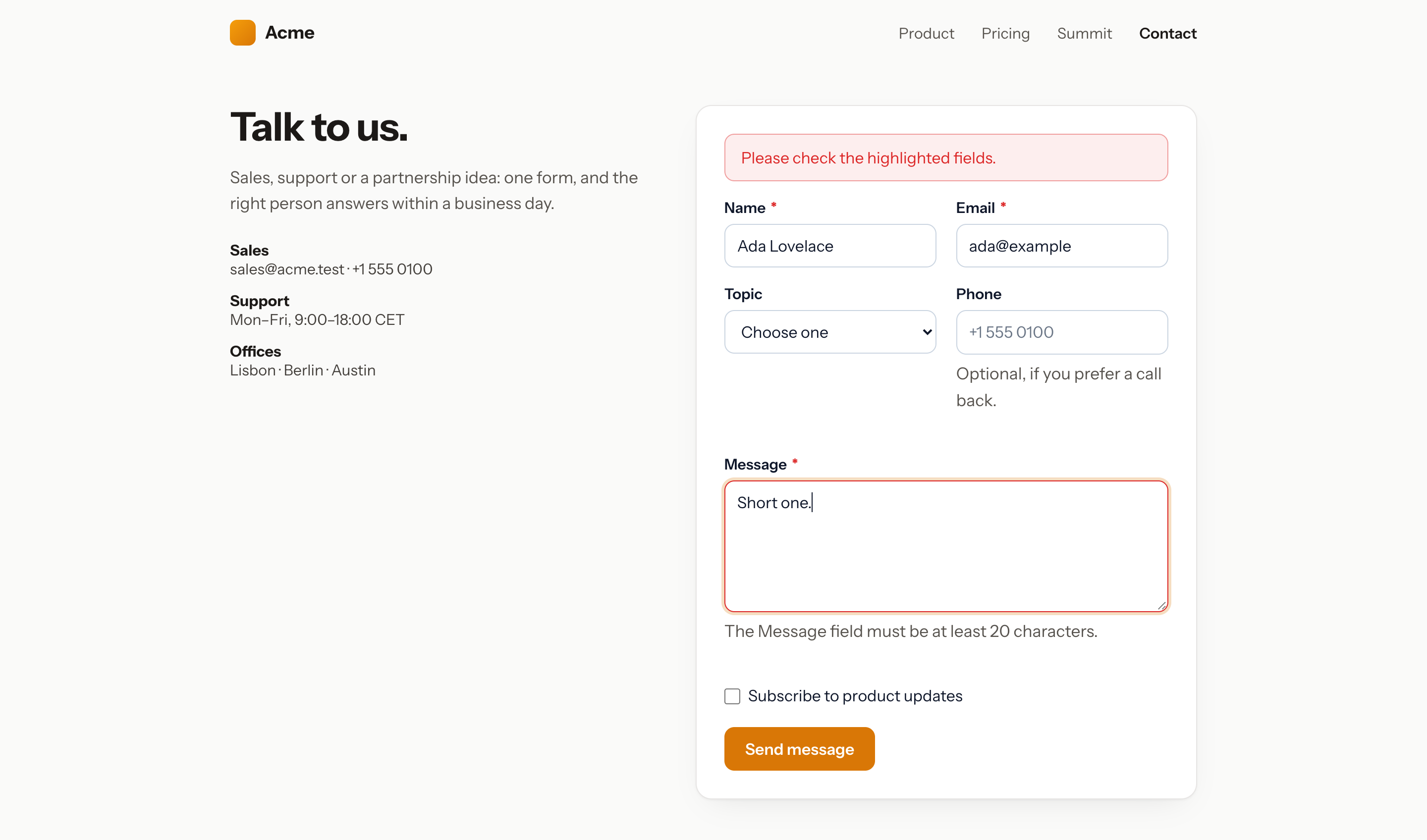
The browser posts and is redirected back to the page (the URL of the page, sent as a hidden field, or the referer; other hosts are ignored). With a session, the success message, the errors and the old input are flashed. Without one they travel in the query string: ?fb_success=contact, or ?fb_state=<encrypted errors and input>. The redirect ends in #form-contact so the page scrolls to the form.
With the enhancement script
By default the component inlines a small script (frontend.enhance) that submits with fetch and Accept: application/json, then shows the errors under their fields or replaces the form with the success message, without reloading. The same script applies the conditions live and walks the steps of a multi-step form, validating each through POST /forms/{slug}/validate; without it every field and section shows on one page and the server applies the conditions.
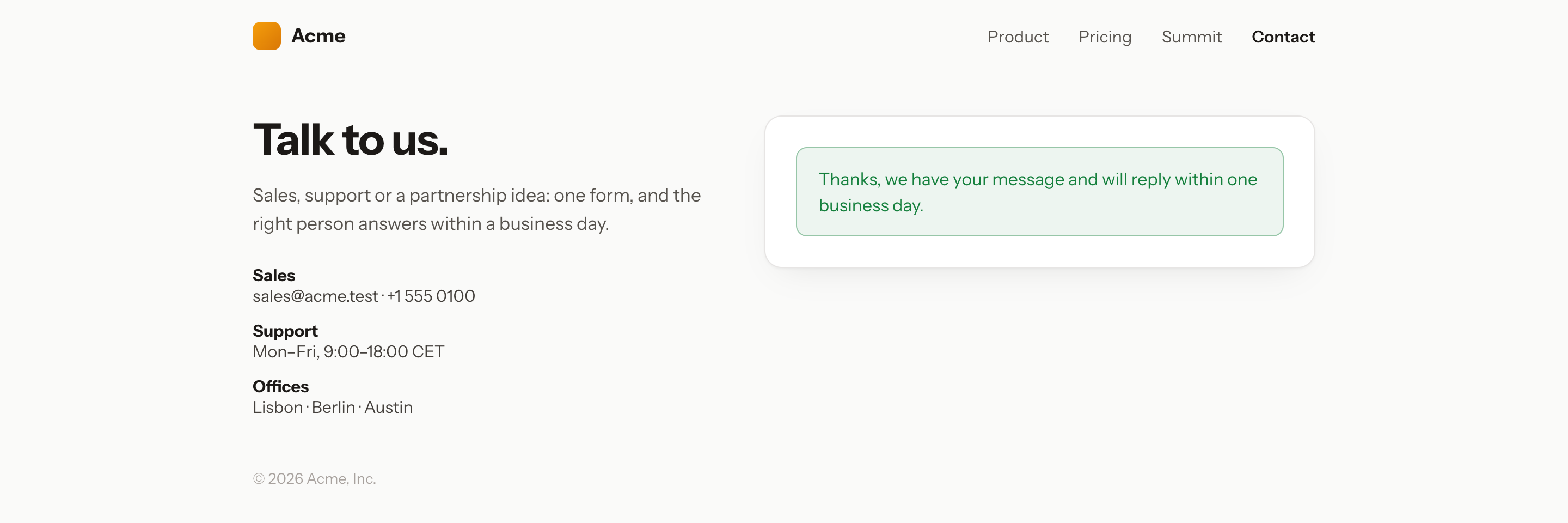
It dispatches a form-builder:submitted event on the wrapper. Forms added to the page later can be initialised with document.dispatchEvent(new CustomEvent('form-builder:init')).
Options
| Prop | Default | What it does |
|---|---|---|
enhance |
config | Inline the fetch script |
styles |
config | Inline the stylesheet (once per page) |
action |
submit route | Override the endpoint |
return |
current URL | The page to come back to |
id, class |
form-{slug} |
Wrapper id and extra classes |
values |
[] |
Values to prefill, keyed by field key (the page URL's query parameters fill the rest when the form allows it) |
Session-less sites
The submit route runs the web middleware by default (CSRF, session). On a site whose public pages have no session — a cached CMS front end — set:
'routes' => [
    'middleware' => [],
    'page_middleware' => [],
],
CSRF protection is then off for the endpoint; the honeypot, the time trap and the rate limit stay on.
Livewire
<livewire:form-builder form="contact" />
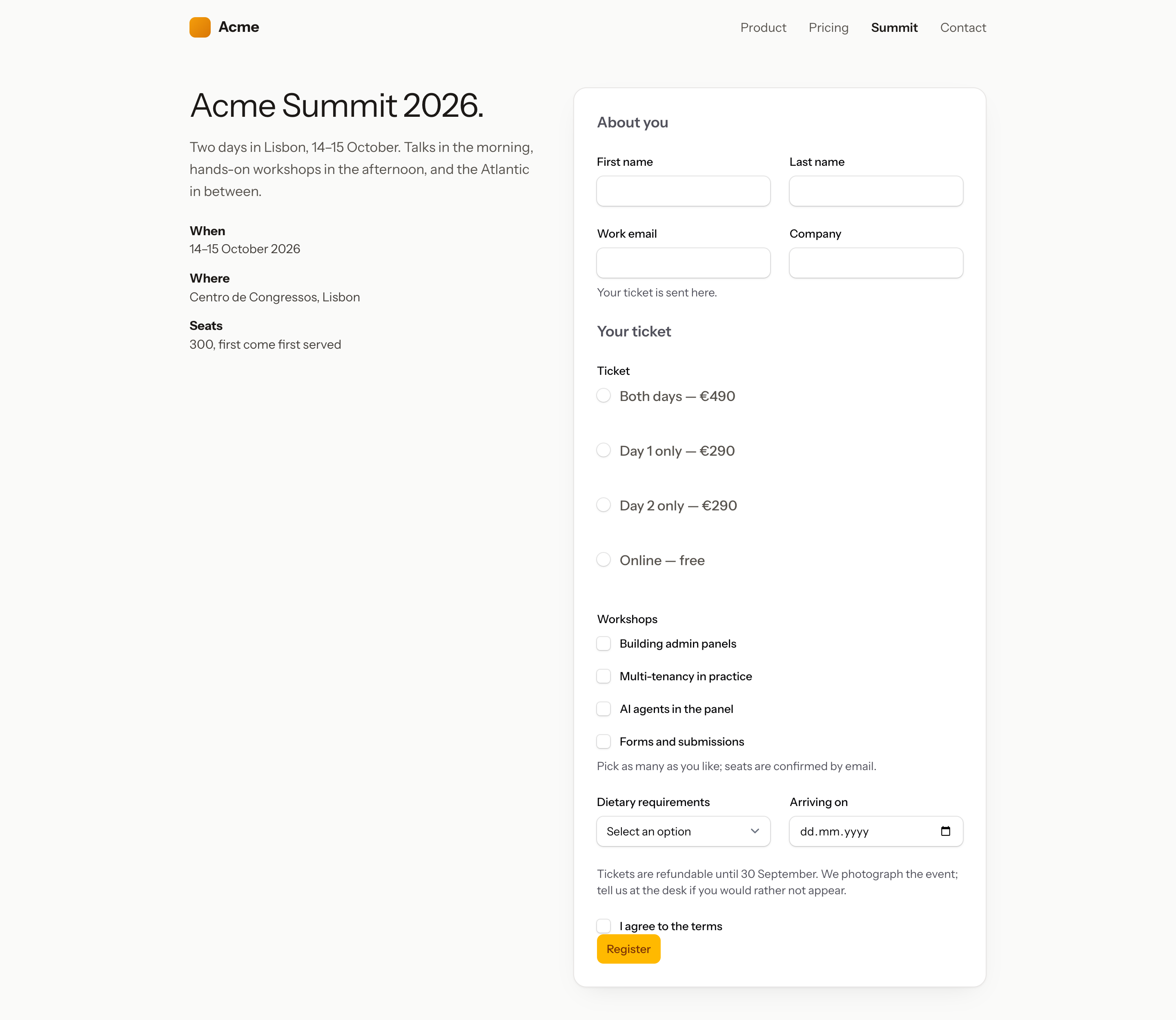
The fields become Filament components (TextInput, Select, CheckboxList, DatePicker, FileUpload, RichEditor…), sections Filament sections or wizard steps, the conditions live visible() / required() closures, all validated in place and submitted through the same pipeline. :values="[...]" prefills, :form="[...]" renders a portable array, :preview="true" validates without storing. The page needs nothing else: once the response is built, the component puts Filament's colour variables and its stylesheet in <head> and Filament's scripts before </body>, the way Livewire injects its own script. A layout that already prints @filamentStyles and @filamentScripts (a panel page, or a site that loads Filament on its own) is left alone.
The stylesheet is not the panel theme. It is compiled from the Filament component files the built-in field types render (inputs, textarea, select, radio, checkbox and checkbox list, toggle, toggle buttons, tags, date and time pickers, file upload, colour picker, rich editor, text, button, grid, section, wizard and the field wrapper): 24 KB gzipped against 63 KB for the theme, and no Tailwind preflight, so the host page's headings, lists and buttons keep their own styles; the parts of the reset the components rely on are scoped to the form. php artisan filament:assets publishes it to public/css/packstub/filament-form-builder/form-builder-livewire.css, together with Filament's own assets, so it is already in place on a site that runs filament:upgrade after Composer updates.
| Config | Default | Effect |
|---|---|---|
frontend.livewire_assets |
true |
Inject the assets on pages that render the component. false when your layout handles Filament's frontend. |
frontend.livewire_theme |
null |
The stylesheet to link: null for the compiled one, a path or URL for another (css/filament/filament/app.css is the panel theme filament:assets publishes), false for none. |
Custom field types that render other Filament components (a repeater, a slider, a code editor) need their CSS: switch livewire_theme to the panel theme, or to a theme you compile when the site already runs Tailwind.
To print the assets yourself, use the same pieces the injection does:
<head>
    {{ \Packstub\FormBuilder\Livewire\LivewireAssets::styles() }}
</head>
<body>
    <livewire:form-builder form="contact" />
    {{ \Packstub\FormBuilder\Livewire\LivewireAssets::scripts() }}
</body>
JSON
GET /forms/contact/definition
{
  "name": "Contact",
  "slug": "contact",
  "accepting": true,
  "submit_url": "https://example.com/forms/contact",
  "validate_url": "https://example.com/forms/contact/validate",
  "mode": "single",
  "layout": "stacked",
  "wizard": null,
  "sections": [
    { "key": "section_1", "label": null, "description": null, "visibility": { "mode": "always", "logic": "all", "rules": [] }, "fields": ["email"] }
  ],
  "fields": [
    { "key": "email", "type": "email", "input": true, "label": "Email", "required": true, "choices": null, "options": {}, "section": "section_1", "visibility": null, "requirement": null }
  ],
  "captcha": null,
  "protection": {
    "token_field": "_fb_token",
    "token": "eyJpdiI6…",
    "honeypot_field": "_fb_website",
    "password": false,
    "unlock_url": null,
    "captcha": null
  }
}
visibility and requirement carry a field's conditions (mode, logic, rules of field, operator, value); mode is wizard with the wizard options when the form is multi-step; protection.captcha names the provider, its site key and the input to post. Files go as { "name": "brief.pdf", "data": "data:application/pdf;base64,…" } items.
Render the fields however you like, then post the values with the token under token_field and, if honeypot_field is set, that field empty. A private form needs the token (read its definition through a share link with ?link=, or a signed URL); a post without it answers 403:
POST /forms/contact
Accept: application/json
Content-Type: application/json

{ "email": "ada@example.com", "message": "Hi", "_fb_token": "eyJpdiI6…" }
Success answers 200 with { "ok": true, "message": "…", "redirect": null, "id": 12 }; validation errors answer 422 with errors keyed by field; a closed, password-locked or private form answers 403; the rate limit answers 429. POST /forms/{slug}/validate with _fb_fields[] (keys) or _fb_step (a section index) checks part of the form and answers { "ok": true } or 422. A password goes to POST /forms/{slug}/unlock as password; send the returned key as _fb_key.
Iframe and script embeds
For a site that is not a Laravel app (a CMS, a static site), the Embed tab gives two snippets:
<iframe src="https://example.com/forms/contact?embed=1" style="width:100%;border:0" data-form-builder-frame="contact"></iframe>
The hosted page renders bare with ?embed=1 and posts its height to the parent (form-builder:resize); the snippet includes the listener that resizes the frame. A private form's iframe uses its share link.
<div data-form-builder="contact"></div>
<script src="https://example.com/forms/contact/embed.js" async></script>
The script reads the definition, renders the form with the package stylesheet into the container (or where the tag sits) and runs the same in-place submit, conditions and steps. Password-protected forms and captchas need the iframe or the hosted page. Turn the route off with routes.embed.
Hosted page
/forms/{slug} renders the form on its own in routes.page_layout (a Blade component receiving title, description, image, slug and the form in its slot), with the page title, meta description, social image and logo from the Design tab. Point it to your own layout component, or turn the page off with routes.page. A private form answers 403 without a share link.
Theming
The Blade renderer scopes its styles under .fb-form and reads CSS variables with fallbacks:
| Variable | Fallback |
|---|---|
--fb-color-text |
#0f172a |
--fb-color-muted |
#475569 |
--fb-color-border |
#cbd5e1 |
--fb-color-surface |
#fff |
--fb-color-primary |
#2563eb |
--fb-color-primary-contrast |
#fff |
--fb-color-danger |
#dc2626 |
--fb-color-success |
#15803d |
--fb-radius |
.5rem |
--fb-font |
inherit |
Set them on :root or on a wrapper; Brand colour on the Design tab sets --fb-color-primary on one form, Custom CSS adds rules scoped to it. Widths use .fb-field--half, --third, --two-thirds, --quarter, --three-quarters; Labels beside the fields adds .fb-form--horizontal. To ship the CSS and JS yourself, publish them with --tag=packstub-form-builder-assets and turn frontend.styles / frontend.enhance off. The views publish with --tag=packstub-form-builder-views.