Filament Teams
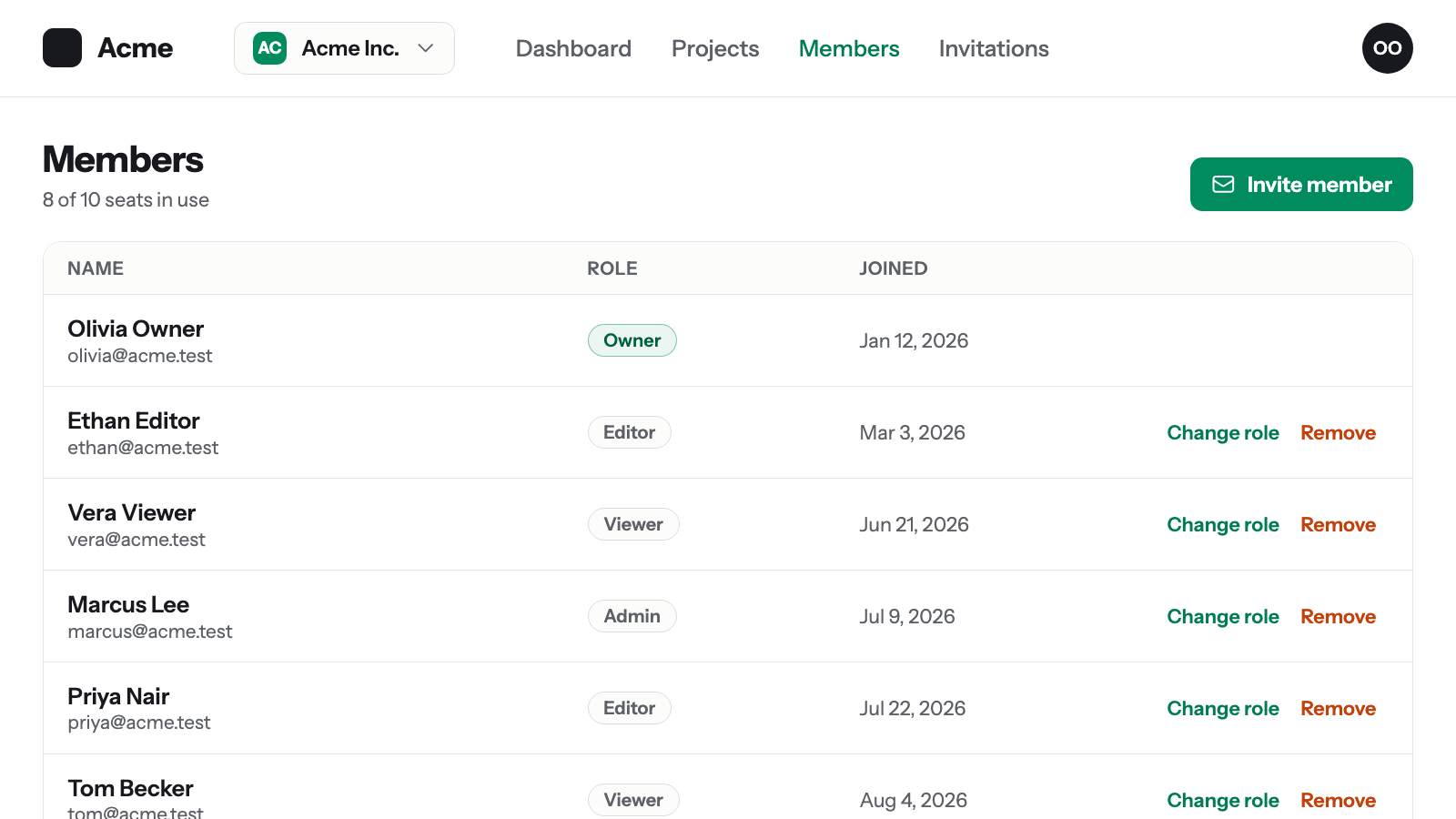
Everything a SaaS needs around its tenant members: a Members page, e-mail and shareable-link invitations that drop people into the right team with the right role, seat limits driven by the plan, ownership rules, and roles with permissions — from config or from Filament Shield, per team.
Features
What’s included
- E-mail and shareable-link invitations with login/registration handoff, expiry, cooldown and in-app notifications
- Members page with roles, seat limits, ownership transfer and last-owner protection
- Roles that carry permissions — config-defined or Filament Shield per tenant — plus a Filament Tenancy preset
Install
Composer-native install
No zip downloads. You get a personal token and copy-ready commands, and the plugin installs and updates like any other Composer package.
Compatibility
Stated compatibility, not assumed.
Changelog
A changelog you can check
Pricing
Terms you can read
Each tier states what it covers — projects, update window, support — before you pay. No surprises in a PDF afterwards.
Solo
- One project
- Up to 3 tokens for local, CI, and production installs
- 1 year of updates
Unlimited
- Unlimited projects
- Unlimited tokens for local, CI, and production installs
- 1 year of updates
Checkout and VAT invoices are handled by our merchant of record.
Bundles
Save with a bundle
Filament Teams is part of the Filament SaaS stack. Buy it together with the plugins it works alongside — one license, one Composer repository, one update window.
Filament SaaS Stack
Bundle3 plugins · one license
The three plugins a Filament SaaS is built on, under one license: one isolated database per tenant, team members with invitations and roles, and plans, limits and feature gating — installed from a single Composer repository.
- Filament Tenancy
- Filament Teams
- Filament Features
Filament Teams + Features
Bundle2 plugins · one license
Members, invitations and roles from Filament Teams, plus plans, limits and feature gating from Filament Features — under one license, with team seat limits driven straight from the plan.
- Filament Teams
- Filament Features
What you get
A dependency you pay for should behave like a dependency.
What happens after I buy? +−
Checkout creates your account and license automatically. Sign in to the developer portal, create a Composer token, and copy the install commands. The whole flow takes about two minutes.
How does installation work? +−
Add the Packstub Composer repository to your project, authenticate with your token, and run composer require. The portal shows the exact commands for each plugin you own.
What does "1 year of updates" mean? +−
You can install any version released within your update window. When it ends, everything you've installed keeps working; renew to get access to new releases.
Can I use a plugin in client projects? +−
A single-project license covers one production project. The unlimited tier covers any number of projects you or your team build and deploy.
How is payment handled? +−
A merchant of record processes the payment, handles VAT, and issues invoices — the provider for your order is shown at checkout. Your card details never touch our servers.
What is your refund policy? +−
14-day refund, no questions asked — see Refund Policy page.
Do you offer support? +−
Licensed customers get email support for installation, configuration, and bug reports. Bug fixes ship as regular releases.