# Roles with Filament Shield
Install [Filament Shield](https://github.com/bezhanSalleh/filament-shield) and enable Spatie Permission's **teams** feature:
```bash
composer require bezhansalleh/filament-shield
php artisan shield:setup --tenant="App\Models\Team"
php artisan shield:install app --tenant
php artisan shield:generate --all --panel=app
```
That's all the plugin needs: it detects `permission.teams` and switches to the `SpatieRoleProvider`:
- the Members page offers Shield's roles (global ones plus the roles created inside the current team);
- assigning a role syncs the member's Spatie role *for that team*;
- a `SetPermissionsTeam` tenant middleware points Spatie at the current tenant on every request, so `$user->can()` and Shield's policies answer for the team you're in.
 ## Global roles are templates
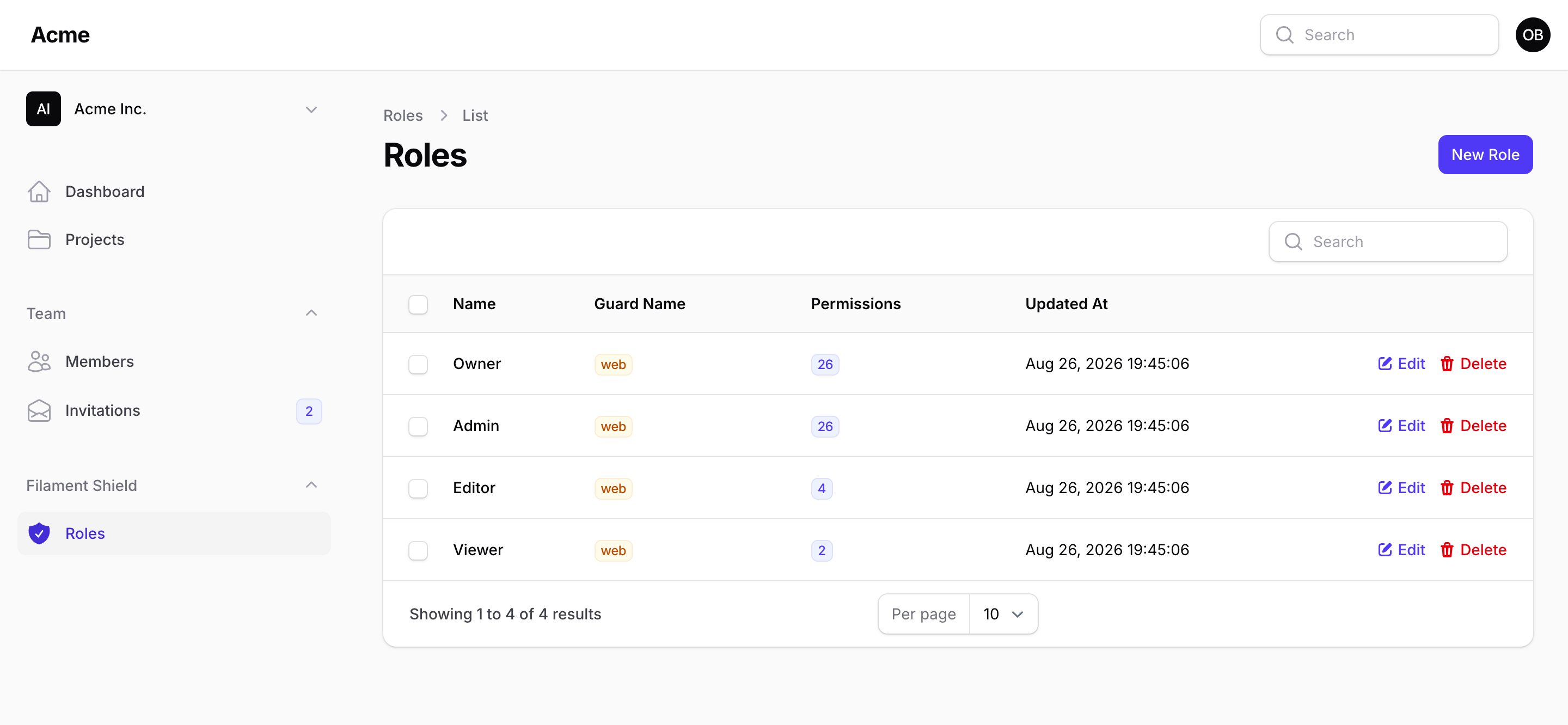
Shield's Role resource is tenant-owned, so during a panel request Filament scopes the `Role` model to the current team and roles with a null `team_id` are invisible to `$user->can()`. Treat global roles as templates and give each new team its own copies:
```php
// RegisterTenant page / team factory
$team = Team::create($data);
Teams::roleProvider()->cloneGlobalRolesToTeam($team);
Teams::addMember($team, auth()->user(), Teams::ownerRole());
```
Your `Role` model needs the relation Filament uses for scoping:
```php
class Role extends \Spatie\Permission\Models\Role
{
public function team(): BelongsTo
{
return $this->belongsTo(Team::class, 'team_id');
}
}
```
## The same user, different teams
## Global roles are templates
Shield's Role resource is tenant-owned, so during a panel request Filament scopes the `Role` model to the current team and roles with a null `team_id` are invisible to `$user->can()`. Treat global roles as templates and give each new team its own copies:
```php
// RegisterTenant page / team factory
$team = Team::create($data);
Teams::roleProvider()->cloneGlobalRolesToTeam($team);
Teams::addMember($team, auth()->user(), Teams::ownerRole());
```
Your `Role` model needs the relation Filament uses for scoping:
```php
class Role extends \Spatie\Permission\Models\Role
{
public function team(): BelongsTo
{
return $this->belongsTo(Team::class, 'team_id');
}
}
```
## The same user, different teams
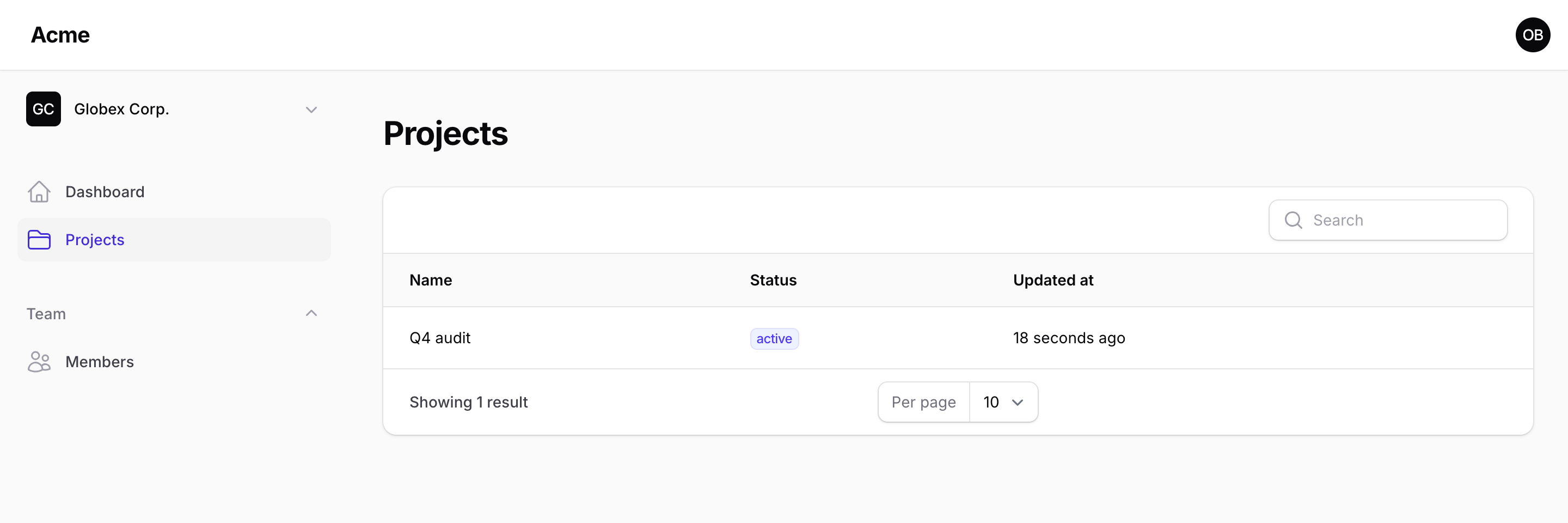 Olivia owns Acme (full access) and is a viewer in Globex — same account, permissions follow the team. Seed a Spatie role named `owner` with every permission and owners get it automatically; without one, owners still manage members through `Teams::canManage()`.
## Gotchas
- Spatie caches permissions with their roles on first use. Call `app(PermissionRegistrar::class)->forgetCachedPermissions()` at the end of seeders that create roles.
- The default invite role must exist among the team's roles; otherwise the first assignable role is used (`Teams::defaultRoleFor()`).
Olivia owns Acme (full access) and is a viewer in Globex — same account, permissions follow the team. Seed a Spatie role named `owner` with every permission and owners get it automatically; without one, owners still manage members through `Teams::canManage()`.
## Gotchas
- Spatie caches permissions with their roles on first use. Call `app(PermissionRegistrar::class)->forgetCachedPermissions()` at the end of seeders that create roles.
- The default invite role must exist among the team's roles; otherwise the first assignable role is used (`Teams::defaultRoleFor()`).